Sanity Studio uses schemas to define the structure and behavior of content types in your CMS. Creating custom schemas is essential when the default types don't match your content model. By defining custom fields, validation rules, and document types, you ensure your data is structured precisely for your project’s needs.
Create a New Document Type
Create and open a new file in your Studio’s schemaTypes folder called eventType.ts. Copy-paste the following code into it:
import {defineField, defineType} from 'sanity'
export const eventType = defineType({name: 'event',title: 'Event',type: 'document',fields: [defineField({name: 'name',type: 'string',}),],})| Note: The defineField and defineType helper functions in the code above are not required, but they provide autocomplete suggestions and can catch errors in your configuration in code editors with TypeScript tooling. |
Now you can import this document type into the schemaTypes array in the index.ts file in the same folder.
import {eventType} from './eventType'export const schemaTypes = [eventType]When you save these two files, your Studio should automatically reload and show your first document type. You can and should create a new “event” document.
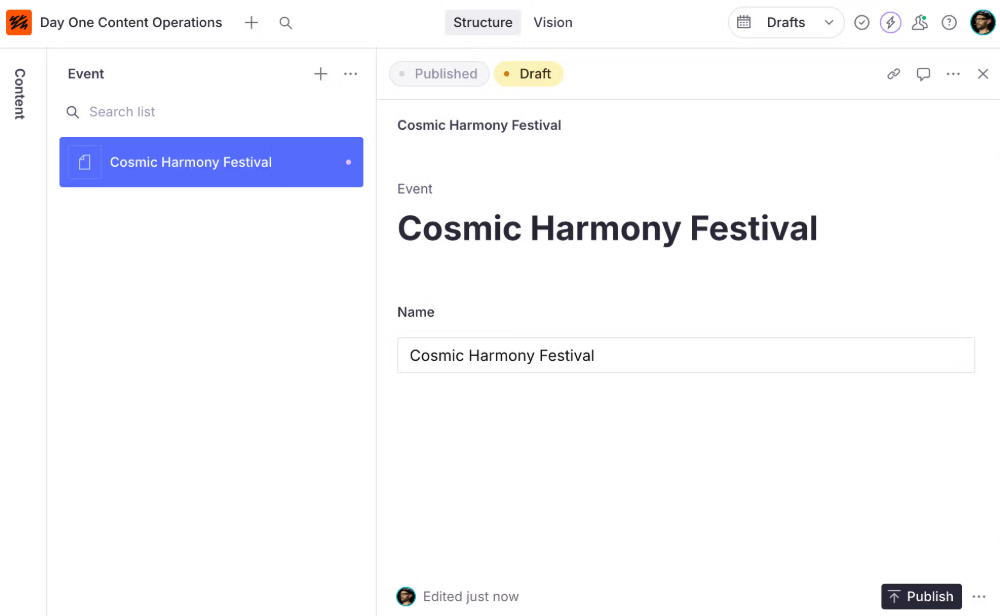
| Note: When you add content in the Name field, all your changes are automatically synced to your project's dataset in the Content Lake. |
Add some more document types with fields in them. Same procedure as with the event type: add new files, copy-paste the code into them, and import and add them to the schemaType array in index.ts.
import {defineField, defineType} from 'sanity'export const artistType = defineType({name: 'artist',title: 'Artist',type: 'document',fields: [defineField({name: 'name',type: 'string',}),defineField({name: 'description',type: 'text',}),defineField({name: 'photo',type: 'image',}),],})import {defineField, defineType} from 'sanity'
export const venueType = defineType({name: 'venue',title: 'Venue',type: 'document',fields: [defineField({name: 'name',type: 'string',}),defineField({name: 'city',type: 'string',}),defineField({name: 'country',type: 'string',}),],})Notice how all these document types use singular names and titles. This is because the singular form makes sense in contexts where these values are used.
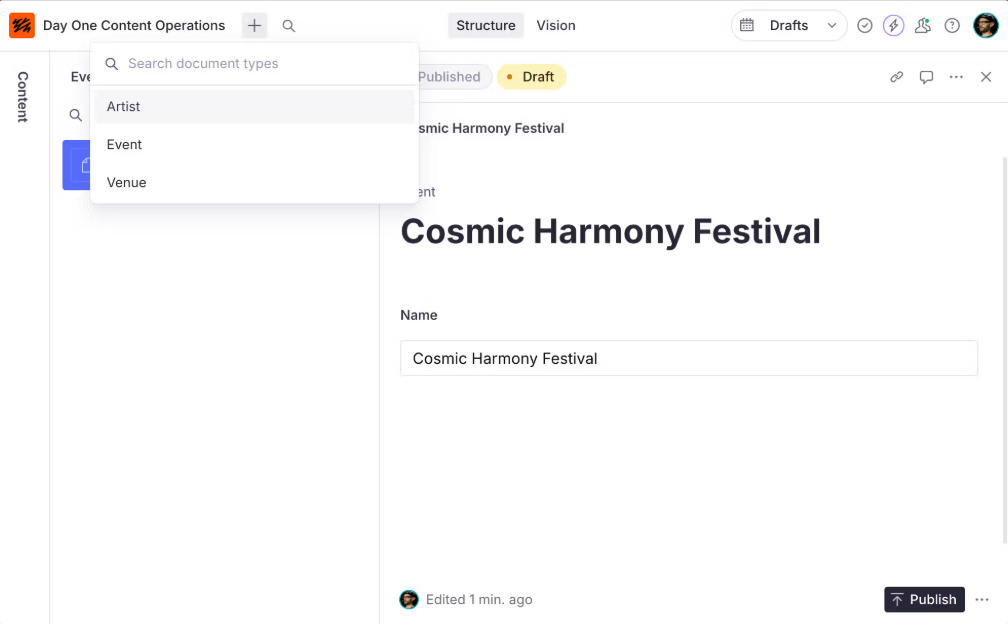
import {eventType} from './eventType'import {artistType} from './artistType'import {venueType} from './venueType'export const schemaTypes = [artistType, eventType, venueType]Confirm in your Sanity Studio that you can create new Artist, Event and Venue type documents.
Adding Familiar Field Types
Sanity Studio has the field types you'd expect for storing content in a JSON format. For example string, number, boolean, array, object, and more.
In a typical project, the document types you create and the fields you add within them should be informed by conversations you've had with designers and content creators.
Add the following fields to your event schema type. You will extend the configuration later to make their purpose clearer:
Once complete, your eventType file should look like this:
import {defineField, defineType} from 'sanity'export const eventType = defineType({name: 'event',title: 'Event',type: 'document',fields: [defineField({name: 'name',type: 'string',}),defineField({name: 'slug',type: 'slug',}),defineField({name: 'eventType',type: 'string',}),defineField({name: 'date',type: 'datetime',}),defineField({name: 'doorsOpen',type: 'number',}),defineField({name: 'venue',type: 'reference',to: [{type: 'venue'}],}),defineField({name: 'headline',type: 'reference',to: [{type: 'artist'}],}),defineField({name: 'image',type: 'image',}),defineField({name: 'details',type: 'array',of: [{type: 'block'}],}),defineField({name: 'tickets',type: 'url',}),],})You can now compose and publish documents with multiple fields of varying data types, including a "reference" field that can relate one document with another. You could deploy this to content creators in its current state. It’s a fully-functioning content management system!
The Details Field as “block content”
You might notice that the details field appears as a block content (or "rich text") editor in the Studio. Any array type field that includes a block type will automatically change the UI for the field to this editor.
This is how Sanity Studio is designed for authoring and storing block content. Instead of saving block content and rich text in formats like Markdown or HTML as a string, Sanity Studio stores it in the open-source specification called Portable Text. This unlocks powerful querying and filtering capabilities in your projects and makes integrating across most platforms and frameworks easier.
Import Some Content
In the following lessons you'll query and render content from this dataset. You could painstakingly hand-craft individual documents in Sanity Studio. Or you can import this test dataset using Sanity CLI.
# inside /apps/studiopnpm dlx sanity@latest dataset import production.tar.gz productionA successful import will give you a bunch of artists, venues, and events in the past and future between 2010–2030.
Reminder: All the documents have now been written to the Content Lake, and you are browsing them in your locally configured Sanity Studio.
Your multiplayer, real-time dashboard for authoring content is presently stuck on your computer. Time to share it with the world, and your authors, in the next lesson.