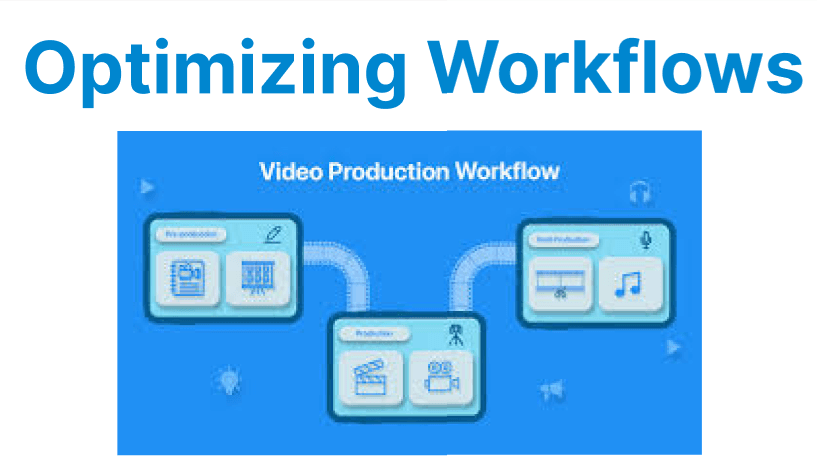
Video processing tasks, such as encoding, decoding, and filtering, often require significant computational power. CUDA (Compute Unified Device Architecture) from NVIDIA allows developers to speed up these processes by utilizing the parallel processing capabilities of GPUs.
By using CUDA libraries like cuVID, NVENC, and cuFFT, video workflows can be optimized for tasks like decoding, encoding, and applying filters.
What is CUDA, and How Does it Help in Video Processing?
CUDA is a parallel computing platform and programming model created by NVIDIA. It allows developers to use NVIDIA GPUs for general-purpose computing (GPGPU). By offloading computationally heavy tasks to the GPU, CUDA accelerates video processing operations like video decoding, encoding, scaling, and filtering.
Key CUDA Libraries for Video Processing
- cuVID (CUDA Video Decoder): A CUDA-accelerated library for video decoding.
- NVENC (NVIDIA Encoder): A hardware-accelerated library for video encoding.
- cuFFT (CUDA Fast Fourier Transform): A library optimized for fast Fourier transforms, commonly used for tasks like signal processing, which can be applied to video filters.
Benefits of Using CUDA Libraries for Video Workflows:
- Faster Processing: By offloading tasks to the GPU, you can process video data faster than using traditional CPU-based methods.
- Scalability: CUDA can scale to handle large amounts of video data concurrently, making it ideal for real-time video streaming and batch processing.

- Efficiency: CUDA optimizes the processing workload, reducing system bottlenecks and improving overall video processing throughput.
Optimizing Video Decoding with cuVID
Video decoding is the process of converting compressed video data (e.g., H.264, HEVC) into raw frames that can be processed and displayed. cuVID is NVIDIA's library for hardware-accelerated video decoding, designed to offload the decoding process to the GPU.
Using cuVID for Video Decoding
You can use cuVID to decode video files in formats like H.264, HEVC, and VP9, reducing CPU load and speeding up the decoding process. Here's how you can use FFmpeg with cuVID to decode a video:
ffmpeg -hwaccel cuvid -c:v h264_cuvid -i input_video.mp4 -f rawvideo -pix_fmt yuv420p output.rawExplanation:
- -hwaccel cuvid: Tells FFmpeg to use cuVID hardware acceleration for decoding.
- -c:v h264_cuvid: Specifies that the cuVID decoder for H.264 will be used.
- input_video.mp4: The input video file.
- output.raw: The raw video frames output file.
Why Use cuVID for Decoding?
- Speed: cuVID accelerates the decoding process, allowing faster frame extraction from video files.
- Low CPU Usage: By offloading the decoding process to the GPU, CPU resources are freed up for other tasks.
Optimizing Video Encoding with NVENC
NVENC is NVIDIA's hardware encoder that allows developers to accelerate video encoding tasks. It's supported by popular codecs such as H.264 and HEVC. Using NVENC with CUDA libraries can significantly reduce the time it takes to encode a video, especially for high-resolution videos or when real-time processing is required.
Using NVENC for Video Encoding
To use NVENC for encoding, you can execute a simple FFmpeg command:
ffmpeg -i input_video.mp4 -c:v h264_nvenc -preset fast -b:v 5M output_video.mp4Explanation:
- -c:v h264_nvenc: Specifies to use the NVENC encoder for H.264 video encoding.
- -preset fast: Defines the encoding speed. Faster presets (like ultrafast) reduce processing time but may affect video quality. Slower presets (like slow) yield better quality but take longer.
- -b:v 5M: Sets the video bitrate to 5 Mbps.
- output_video.mp4: The output encoded video file.
Why Use NVENC for Encoding?
- Speed: NVENC can encode videos much faster than using CPU-based encoders, making it ideal for real-time applications like live streaming.
- Low Latency: For live streaming or broadcasting, low-latency encoding is essential. NVENC provides fast encoding times, reducing the delay between capturing and broadcasting video.
- Efficiency: Offloading encoding to the GPU ensures that CPU resources can be used for other tasks, optimizing overall system performance.
Optimizing Video Filtering with cuFFT
While cuVID and NVENC handle video decoding and encoding, cuFFT is used for tasks that involve signal processing, such as applying certain filters to the video. cuFFT is optimized for performing Fourier Transforms, which are commonly used in video filtering tasks like denoising, compression, and analysis.
Using cuFFT for Video Filtering
cuFFT can be used for custom video filtering tasks that involve analyzing the frequency domain of video frames. Here’s an example of how you might use cuFFT to perform filtering:
#include <iostream>
#include <cuda_runtime.h>
#include <cufft.h>

// Sample kernel for FFT-based filtering
__global__ void filterKernel(cufftComplex *d_input, cufftComplex *d_output, int N) {
int idx = threadIdx.x + blockIdx.x * blockDim.x;
if (idx < N) {
d_output[idx].x = d_input[idx].x * 0.5; // Example filter: half amplitude
d_output[idx].y = d_input[idx].y * 0.5;
}
}

int main() {
cufftHandle plan;
cufftComplex *d_input, *d_output;
int N = 1024; // Example FFT size

// Allocate memory for FFT input and output
cudaMalloc((void**)&d_input, N * sizeof(cufftComplex));
cudaMalloc((void**)&d_output, N * sizeof(cufftComplex));

// Create FFT plan
cufftPlan1d(&plan, N, CUFFT_C2C, 1);

// Perform FFT
cufftExecC2C(plan, d_input, d_output, CUFFT_FORWARD);

// Apply a custom filter using CUDA kernel
filterKernel<<<(N + 255) / 256, 256>>>(d_input, d_output, N);

// Cleanup
cufftDestroy(plan);
cudaFree(d_input);
cudaFree(d_output);

return 0;
}
This code snippet demonstrates how to use cuFFT to apply a simple filter to video frames by manipulating the frequency domain. While cuFFT can be complex, it is a powerful tool for custom video filtering tasks.
Why Use cuFFT for Filtering?
- Custom Filters: cuFFT allows developers to create custom filters based on the frequency domain of video frames.
- High-Speed Processing: cuFFT performs fast Fourier Transforms, enabling efficient signal processing for video analysis and manipulation.