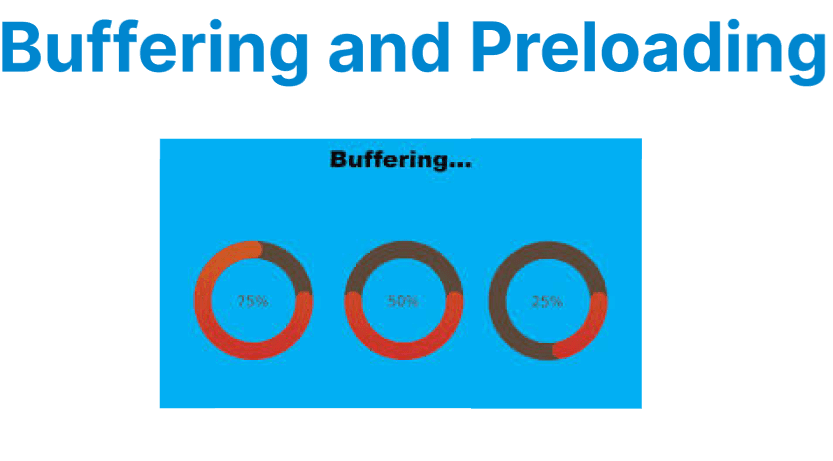
Buffering and preloading are core mechanisms in video streaming that ensure smooth playback despite variations in network conditions. Buffering involves storing video data temporarily before and during playback to prevent interruptions, while preloading refers to fetching video data ahead of playback to minimize startup delays.
Both techniques require careful tuning to balance latency, bandwidth utilization, and playback stability, especially in adaptive streaming environments.
Buffering in Streaming Video
Buffering is the process of accumulating a portion of video data in the client’s memory before playback continues. It acts as a safeguard against fluctuations in network speed or temporary interruptions by maintaining a reservoir of video data.
The buffer size and management strategy directly influence startup time and playback smoothness. A larger buffer reduces the risk of rebuffering events but increases latency, which can be detrimental in live streaming scenarios. Conversely, smaller buffers reduce latency but may increase the risk of playback stalls under variable network conditions.
Protocols such as HLS and DASH segment video into discrete chunks; players fetch these segments and buffer them according to configurable parameters. Buffering strategies often involve a minimum buffer threshold to begin playback and a maximum buffer size to limit memory usage.
Example Command to Reduce Buffering in HLS Using FFmpeg:
ffmpeg -i input.mp4 -c:v libx264 -hls_time 2 -hls_flags delete_segments -f hls output.m3u8Explanation:
- -hls_time 2: Creates 2-second segments, which reduces segment download time and thus buffering.
- -hls_flags delete_segments: Deletes old segments to reduce buffer bloat and storage usage on the client.
Preloading in Streaming Video
Preloading involves fetching video data before the user initiates playback or before the current playback position. This reduces the startup delay by ensuring video data is ready for immediate consumption.
In Video on Demand (VOD), preloading typically fetches several seconds of video before playback starts. For live streaming, preloading is more limited but still essential to prevent stalls, often buffering a small window of content ahead of the playback position.
Preloading requires balance; excessive preloading increases bandwidth usage and memory consumption, while insufficient preloading can cause stalls during playback.
Example of Low-Latency HLS (LL-HLS) Preloading:
ffmpeg -i input.mp4 -c:v libx264 -hls_time 2 -hls_flags delete_segments+program_date_time -f hls output_llhls.m3u8Explanation:
- -hls_flags delete_segments+program_date_time: Enables segment deletion and precise timing to support low-latency preloading.
- -hls_time 2: Small segment size aids in faster preloading and reduced latency.
Buffering and Preloading in Adaptive Bitrate Streaming
Adaptive Bitrate (ABR) streaming adjusts the video quality dynamically based on network throughput and device capabilities. Buffering and preloading strategies in ABR are crucial for switching between quality levels without interrupting playback.
Players often preload lower-bitrate segments to ensure continuity when network conditions degrade and switch to higher-bitrate segments when bandwidth improves. The buffer size adapts accordingly to support smooth quality transitions.
Dynamic Buffer Size Adjustment in DASH with FFmpeg
In DASH streaming, you can control buffer-related behavior through the manifest (MPD) and encoding parameters. Using FFmpeg, set segment durations and adjust buffer times:
ffmpeg -i input.mp4 -c:v libx264 -preset fast -g 60 -f dash \
-dash_segment_filename "segment_%03d.m4s" \
-min_seg_duration 2000000 \
-mpd_params min_buffer_time=3000000000 \
-master_pl_name "master.mpd" output.mpd
Explanation:
- -g 60: Sets GOP size to 60 frames (~2 seconds at 30fps), which aligns keyframes to segment boundaries.
- -dash_segment_filename "segment_%03d.m4s": Naming pattern for DASH segments.
- -min_seg_duration 2000000: Minimum segment duration in microseconds (2 seconds).
- -mpd_params min_buffer_time=3000000000: Sets the minimum buffer time to 3 seconds in the MPD manifest, instructing the client to preload this much data before playback.
Preloading Techniques for Streaming Video
Preloading refers to fetching and storing video data before playback starts or ahead of the current playback position to reduce startup delay and avoid stalls. It ensures that enough video data is available immediately when the user presses play, minimizing buffering interruptions.
In streaming, preloading is typically controlled by the player or by server-side segment configuration. Effective preloading balances startup speed and bandwidth usage.
Preloading in HTML5 Video Element
For simple use cases, the native HTML5 video element supports a preload attribute:
<video src="video.mp4" preload="auto" controls></video>Explanation:
- preload="auto": The browser downloads the video metadata and enough data to start playback quickly.
- Other values include metadata (only metadata) or none (no preloading).
Preloading with HLS.js Player
In adaptive streaming, preloading is often managed by the JavaScript player. For example, with HLS.js, you can control preloading behavior via buffering settings and segment fetching:
var hls = new Hls({
maxBufferLength: 30, // seconds of buffer to keep
maxMaxBufferLength: 60, // max buffer size
startFragPrefetch: true // prefetch next fragment before current finishes
});

hls.loadSource('https://example.com/stream.m3u8');
hls.attachMedia(videoElement);
Explanation:
- startFragPrefetch: true instructs the player to begin fetching the next video fragment before the current one finishes, ensuring continuous playback.
- maxBufferLength sets the desired buffer length, indirectly controlling how much content is preloaded.
Buffering Techniques for Streaming Video
Buffering is the process where the player temporarily stores incoming video data in memory before or during playback to prevent interruptions caused by network fluctuations or processing delays. Proper buffering helps maintain smooth playback by ensuring that sufficient data is available even when the network speed temporarily drops.
Buffer Size and Latency in DASH.js
For DASH streaming, the buffer is controlled through player API calls:
var player = dashjs.MediaPlayer().create();
player.initialize(document.querySelector("#videoPlayer"), "https://example.com/stream.mpd", true);

player.setBufferTimeAtTopQuality(20); // Buffer 20 seconds of highest quality video
player.setBufferTimeAtTopQualityLongForm(60); // Buffer 60 seconds for long-form content
player.setStableBufferTime(15); // Minimum buffer time to avoid playback stalls
- These methods fine-tune buffer length, balancing startup latency with playback smoothness.