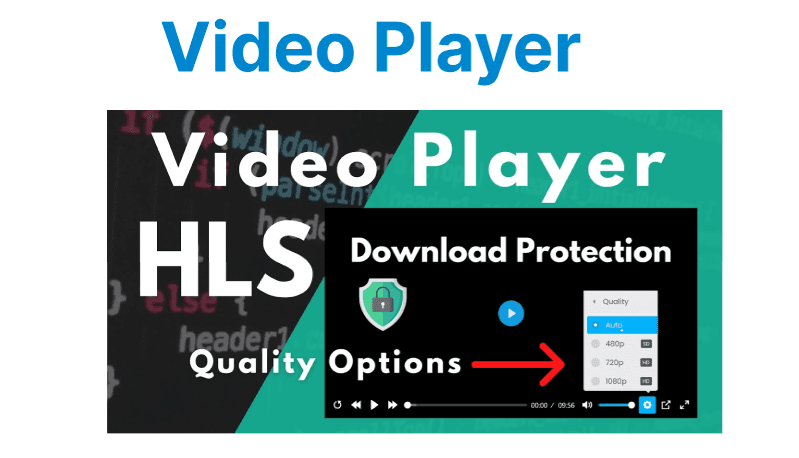
Developing custom video players for streaming protocols like HLS (HTTP Live Streaming) and DASH (Dynamic Adaptive Streaming over HTTP) requires an understanding of the underlying architecture and how to leverage the protocols for optimal performance. Unlike traditional video players that rely on native playback, custom players offer the flexibility to integrate unique features such as adaptive bitrate switching, custom UI components, and extended analytics.
Core Components of a Custom Video Player
Video Playback HLS
The core of a custom video player is the engine that handles video rendering. For both HLS and DASH, this involves fetching media segments, handling adaptive bitrate switching, and displaying content in real-time. The video engine must interface with the protocol-specific libraries and tools to correctly handle manifest files (M3U8 for HLS, MPD for DASH) and request media segments.
For HLS, the player needs to parse the M3U8 playlist, which references the video and audio segments. For DASH, the player uses the MPD manifest, which describes the media presentation, segment timing, and available codecs.
Manifest Parsing
The video player must be capable of parsing the protocol-specific manifest files:
- HLS (M3U8): The .m3u8 playlist file contains references to video and audio segments. It can include multiple streams (e.g., adaptive bitrates) and is used to direct the player to the appropriate media segments.
- DASH (MPD): The .mpd file is a comprehensive XML document that describes the available video tracks, segment timing, and other metadata, such as codecs and encryption.

Adaptive Bitrate (ABR) Switching
Both HLS and DASH support adaptive bitrate streaming, which allows the player to switch between different quality streams depending on the user's network conditions. The player needs to monitor the network speed and make decisions about when to switch between lower or higher bitrate streams. ABR is especially important for minimizing buffering and ensuring smooth playback in varying network conditions.
Command Example for ABR with HLS in FFmpeg:
ffmpeg -i input.mp4 -c:v libx264 -preset fast -f hls -hls_time 4 -hls_list_size 0 -hls_segment_filename "segment_%03d.ts" output.m3u8Explanation:
- -f hls: Specifies that the output format will be HLS.
- -hls_time 4: Segment duration is set to 4 seconds for faster switching.
- -hls_segment_filename "segment_%03d.ts": Naming convention for segment files.
This command is used to generate HLS streams with multiple bitrate renditions, enabling the player to switch between segments depending on network speed.
Custom Video Player Development for HLS
Creating the HLS Playback
To build a custom HLS player, the player needs to manage:
- M3U8 Playlist Parsing: Fetch and parse the M3U8 playlist to get the list of segments.
- Segment Requesting: Fetch video/audio segments based on the M3U8 references.
- Rendering: Render the fetched segments to the screen using an HTML5 video player or a native video component.
- Adaptive Streaming: Monitor network conditions and switch between quality levels based on the segment available.
Libraries like hls.js for browser-based HLS streaming and VLC or FFmpeg for custom players provide the basic building blocks for managing HLS playback.
Example: Integrating hls.js for HLS Playback in a Web Player
<script src="https://cdn.jsdelivr.net/npm/hls.js@latest"></script>
<video id="video"></video>

<script>
var video = document.getElementById('video');
if(Hls.isSupported()) {
var hls = new Hls();
hls.loadSource('https://path/to/playlist.m3u8');
hls.attachMedia(video);
} else {
console.log("HLS not supported in this browser.");
}
</script>
Explanation:
- hls.js is used to load the M3U8 playlist and attach it to the HTML5 video element for playback.
- The loadSource method specifies the location of the M3U8 playlist.
Handling HLS-Specific Features
- Segment Fetching: Using the hls.js library, you can manage the fetching of video and audio segments and handle adaptive switching between streams.
- Error Handling: Handle network errors gracefully to retry fetching segments or switch to a lower-quality stream if the current stream cannot be loaded.
Custom Video Player Development for DASH
Creating the DASH Playback
For a custom DASH player, the process is somewhat similar, though DASH uses the MPD (Media Presentation Description) file instead of M3U8:
- MPD Parsing: Parse the MPD file to get a list of available streams, segment URLs, and codec information.
- Segment Fetching: Fetch video/audio segments based on the URLs in the MPD file.
- Adaptive Streaming: Switch between different streams based on available network bandwidth.
- Rendering: Similar to HLS, render the segments in the video player.
DASH also supports advanced features such as segment duration control, multi-language audio tracks, and multiple subtitle tracks, which require additional configuration in the player.
Command Example for Creating a DASH Stream with FFmpeg:
ffmpeg -i input.mp4 -c:v libx264 -preset medium -f dash -dash_segment_filename "segment_%03d.m4s" -master_pl_name "master.mpd" output.mpdExplanation:
- -f dash: Specifies DASH as the output format.
- -dash_segment_filename "segment_%03d.m4s": Defines the naming convention for DASH segments.
- -master_pl_name "master.mpd": Specifies the master playlist file for DASH.
Handling DASH-Specific Features
- MPD Parsing: Similar to HLS, the player needs to parse the MPD file to identify available renditions and fetch segment URLs.
- Multiple Tracks: DASH allows for multiple video tracks (resolutions) and audio tracks (languages). The player must handle these tracks and switch between them based on user preferences or network conditions.
Comparison of HLS and DASH Playback
| Feature | HLS | DASH |
| Protocol | HTTP/1.1 (Legacy) | HTTP/2 (Optimized) |
| Segment Format | .ts (MPEG-TS) | .m4s (Fragmented MP4) |
| Streaming Quality | Supports adaptive bitrate | Supports adaptive bitrate |
| Latency | Higher (due to segment length) | Lower latency with short segments |
| Device Compatibility | Broad support across devices | Supported on most modern browsers |
| Encryption | AES-128 Encryption | Supports CENC for DRM |