Building a custom video player in React and Vue allows provides better flexibility & control over video playback in your web applications. By building a custom video player, you can integrate features like custom controls, analytics tracking, and UI components that fit your app's specific needs.
Instead of relying on third-party solutions, this approach allows you to tailor every aspect of the video player, from design to functionality, while also optimizing performance. In both React and Vue, you can use their component-based architecture to make the process more modular and reusable.
Building a Custom Video Player in React
Prerequisites
- Basic React.js knowledge
- Familiarity with installation dependencies
- Familiarity with styling the component and its responsiveness
Creating a New ReactJS Project
To create a new ReactJS project, run the following command:
yarn create react-app react-video-player
cd react-video-player
yarn start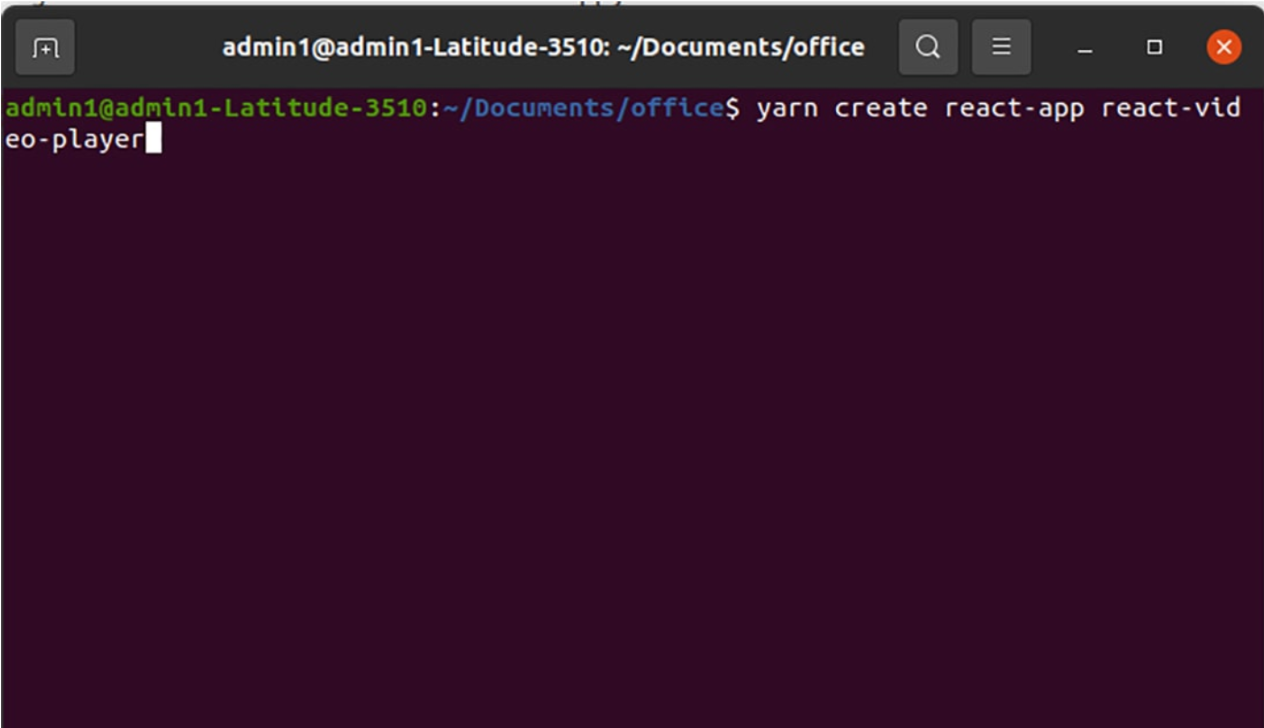
Clean Up the Boilerplate
Open App.js and remove the default content:
function App() {
return <div className="App"></div>;
}

export default App;
Create the VideoPlayer Component
Inside src, add VideoPlayer.js:
import React, { useRef, useState } from "react";
import "./VideoPlayer.css";

function VideoPlayer({ src, poster }) {
  const videoRef = useRef(null);
  const [playing, setPlaying] = useState(false);
  const [muted, setMuted] = useState(false);
  const [time, setTime] = useState(0);
const [duration, setDuration] = useState(0);

const togglePlay = () => {
  if (playing) {
    videoRef.current.pause();
  } else {
    videoRef.current.play();
  }
  setPlaying(!playing);
};

const toggleMute = () => {
  videoRef.current.muted = !muted;
  setMuted(!muted);
};

const handleTimeUpdate = () => {
  setTime(videoRef.current.currentTime);
};

const handleLoadedData = () => {
  setDuration(videoRef.current.duration);
};

const formatTime = (seconds) => {
  const m = Math.floor(seconds / 60);
  const s = Math.floor(seconds % 60);
  return `${m.toString().padStart(2, "0")}:${s
    .toString()
    .padStart(2, "0")}`;
};

return (
  <div className="video-wrapper">
    <video
      ref={videoRef}
      src={src}
      poster={poster}
      onTimeUpdate={handleTimeUpdate}
      onLoadedData={handleLoadedData}
      playsInline
    ></video>

    <div className="controls">
      <button onClick={togglePlay}>{playing ? "Pause" : "Play"}</button>
      <button onClick={toggleMute}>{muted ? "Unmute" : "Mute"}</button>
      <span>
       {formatTime(time)} / {formatTime(duration)}
      </span>
    </div>
  </div>
 );
}

export default VideoPlayer;
Add Styling for Responsiveness
Create VideoPlayer.css:
.video-wrapper {
position: relative;
width: 100%;
max-width: 720px;
margin: auto;
}

video {
width: 100%;
height: auto;
background: black;
}

.controls {
display: flex;
justify-content: space-between;
align-items: center;
margin-top: 8px;
}

button {
padding: 6px 10px;
cursor: pointer;
}
Use the Component
Replace App.js with:
.video-wrapper {
position: relative;
width: 100%;
max-width: 720px;
margin: auto;
}

video {
width: 100%;
height: auto;
background: black;
}

.controls {
display: flex;
justify-content: space-between;
align-items: center;
margin-top: 8px;
}

button {
padding: 6px 10px;
cursor: pointer;
}
Now you have a fully custom React video player with play/pause, mute/unmute, and time tracking.
Building a Custom Video Player in Vue.js
Prerequisites
- Basic knowledge of Vue 2 or Vue 3 (examples assume Vue 3)
- Familiarity with single-file components (SFC)
Create a Project
npm init vue@latest vue-video-player
cd vue-video-player
npm install
npm run dev
Create the VideoPlayer Component
Create src/components/VideoPlayer.vue:
<template>
  <div class="video-wrapper">
    <video
      ref="player"
      :src="src"
      :poster="poster"
      playsinline
      @timeupdate="onTimeUpdate"
      @loadeddata="onLoadedData"
    ></video>

    <div class="controls">
      <button @click="togglePlay">{{ playing ? "Pause" : "Play" }}</button>
      <button @click="toggleMute">{{ muted ? "Unmute" : "Mute" }}</button>
      <span>{{ formatTime(time) }} / {{ formatTime(duration) }}</span>
    </div>
  </div>
</template>

<script>
import { ref } from "vue";

export default {
  name: "VideoPlayer",
  props: {
    src: { type: String, required: true },
    poster: { type: String, default: "" },
  },
  setup(props) {
    const player = ref(null);
    const playing = ref(false);
    const muted = ref(false);
    const time = ref(0);
    const duration = ref(0);

    const togglePlay = () => {
      if (!playing.value) {
        player.value.play();
        playing.value = true;
      } else {
        player.value.pause();
        playing.value = false;
      }
    };

    const toggleMute = () => {
      player.value.muted = !muted.value;
      muted.value = !muted.value;
    };

    const onTimeUpdate = () => {
      time.value = player.value.currentTime;
    };

    const onLoadedData = () => {
      duration.value = player.value.duration;
    };

    const formatTime = (seconds) => {
      const m = Math.floor(seconds / 60);
      const s = Math.floor(seconds % 60);
      return `${m.toString().padStart(2, "0")}:${s
        .toString()
        .padStart(2, "0")}`;
    };

    return {
      player,
      playing,
      muted,
      time,
      duration,
      togglePlay,
      toggleMute,
      onTimeUpdate,
      onLoadedData,
      formatTime,
    };
  },
};
</script>

<style scoped>
.video-wrapper {
  position: relative;
  width: 100%;
  max-width: 720px;
  margin: auto;
}

video {
  width: 100%;
  height: auto;
  background: black;
}

  .controls {
  display: flex;
  justify-content: space-between;
  align-items: center;
  margin-top: 8px;
}

button {
  padding: 6px 10px;
  cursor: pointer;
}
</style>
Use the VideoPlayer Component
In App.vue:
<template>
  <div>
    <h2>Vue Custom Video Player</h2>
    <VideoPlayer
      src="https://res.cloudinary.com/demo/video/upload/dog.mp4"
      poster="https://via.placeholder.com/720x400.png?text=Vue+Video+Demo"
    />
  </div>
</template>

<script>
import VideoPlayer from "./components/VideoPlayer.vue";

export default {
  components: { VideoPlayer },
};
</script>
Comparing React vs Vue Approaches
| Aspect | React | Vue |
| Refs | useRef(videoRef) | ref="player" with composition API |
| State Handling | useState for playing, muted, and time | ref variables inside setup() |
| Event Binding | Inline on <video> element | In line with @event syntax |
| Custom Controls | React Hooks & JSX Buttons | Vue Template & Reactive refs |
| Styling | CSS Module or Stylesheet | Scoped CSS Inside SFC |