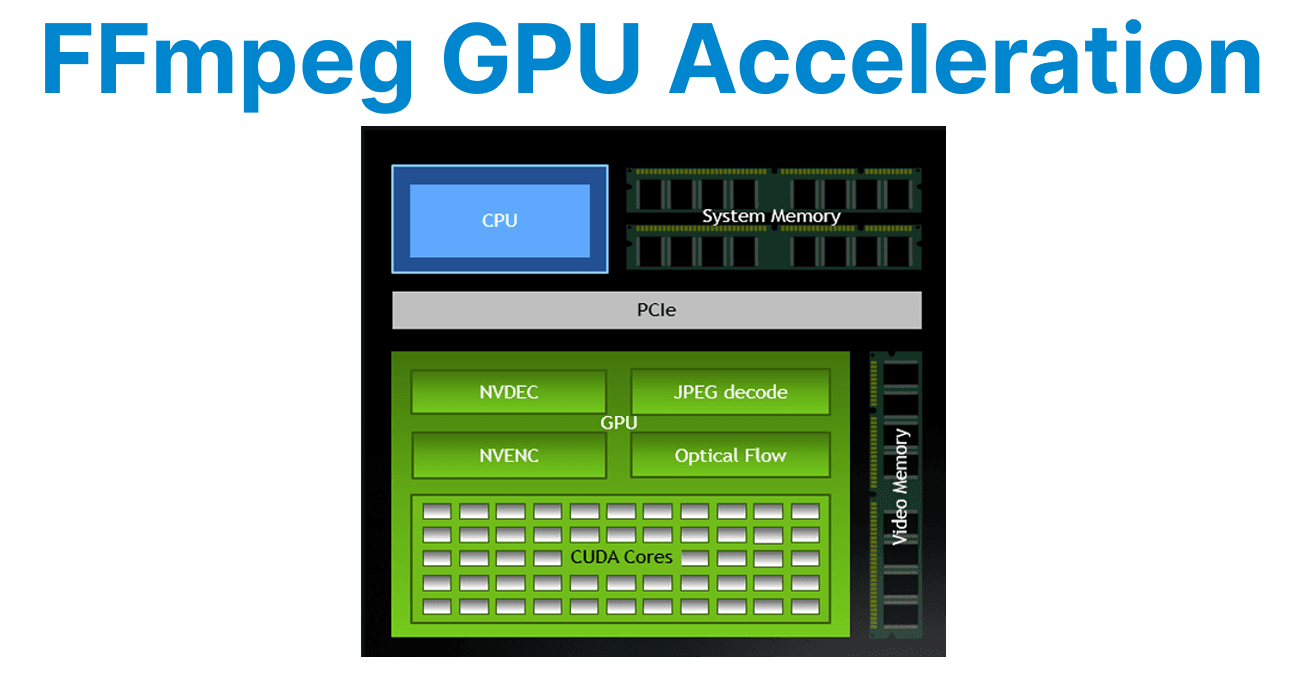
GPU acceleration in FFmpeg enables faster video processing by offloading tasks like encoding, decoding, and filtering to the GPU. NVIDIA provides two main components for this: NVENC for video encoding and CUDA for hardware-accelerated filters and scaling.
NVENC: NVIDIA Hardware Video Encoder
NVENC is a dedicated encoding engine built into NVIDIA GPUs. It allows fast H.264 and H.265 encoding with minimal CPU load to make it ideal for high-performance transcoding and streaming workflows.
Check NVENC Support
This command checks whether NVENC support is available in your FFmpeg build. It filters for NVENC encoders (e.g., h264_nvenc and hevc_nvenc).
ffmpeg -encoders | grep nvencH.264 Encoding with NVENC
This command encodes the input video to H.264 using NVENC. This hardware-accelerated encoding reduces the load on the CPU.
ffmpeg -i input.mp4 -c:v h264_nvenc output.mp4H.265 Encoding with NVENC
This command encodes the video to H.265 (HEVC) using NVENC to offer better compression at the same quality compared to H.264.
ffmpeg -i input.mp4 -c:v hevc_nvenc output.mp4Constant Bitrate Encoding (CBR)
This command encodes the video with a constant bitrate of 4 Mbps using NVENC. It is used for streaming, where consistent video quality is needed.
ffmpeg -i input.mp4 -c:v h264_nvenc -b:v 4M output.mp4Constant Quality Encoding (QP-Based)
This command performs constant quality encoding with a QP (Quantization Parameter) value of 23, using NVENC. The QP value controls the trade-off between quality and file size.
ffmpeg -i input.mp4 -c:v h264_nvenc -rc constqp -qp 23 output.mp4CUDA: GPU-Accelerated Filters and Processing
CUDA is NVIDIA"s GPU compute framework. In FFmpeg, it speeds up decoding, scaling, and filters like deinterlacing or color adjustments.
Upload Video Frames to GPU
This command uploads video frames to the GPU for processing using CUDA. It is useful when applying hardware-accelerated filters to the video.
ffmpeg -hwaccel cuda -hwaccel_output_format cuda -i input.mp4 -vf "hwupload_cuda" -f null -Scaling with CUDA
This command scales the video to 1280x720 using CUDA, then encodes it with NVENC. The GPU accelerates the scaling operation
ffmpeg -hwaccel cuda -i input.mp4 -vf "scale_cuda=1280:720" -c:v h264_nvenc output.mp4Deinterlacing with CUDA
This command uses CUDA to apply the yadif_cuda filter for deinterlacing and encodes the video with NVENC.
ffmpeg -hwaccel cuda -i input.mp4 -vf "yadif_cuda" -c:v h264_nvenc output.mp4Decoding with CUVID
This command uses CUVID for hardware-accelerated decoding with CUDA, followed by encoding with NVENC for faster processing.
ffmpeg -hwaccel cuda -c:v h264_cuvid -i input.mp4 -c:v h264_nvenc output.mp4Monitor GPU Activity
This command monitors the GPU"s usage in real-time by running nvidia-smi every second. It tracks GPU memory and performance while processing video.
watch -n 1 nvidia-smi