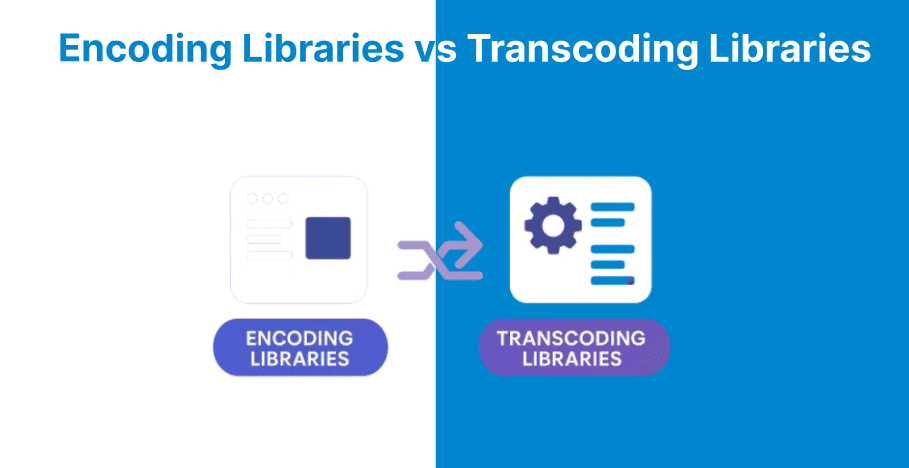
FFmpeg is used for handling video and audio files, but its performance can vary depending on whether you are encoding or transcoding. Encoding involves creating a new file from raw media, while transcoding converts existing media into a different format or bitrate.
These two processes differ in how they use system resources, which directly impacts speed, efficiency, and output quality. Understanding their performance differences will help you to choose the right approach, especially when working with large media libraries or real-time processing needs.
Performance Metrics
Encoding Library
Encoding focuses on speed and compression efficiency. For example, libx264 can achieve 100–200 FPS on modern CPUs for 1080p video at the medium preset, with bitrate controlled via CRF or two-pass modes. These settings can reduce file size by 20–50% without visible quality loss.
Transcoding Library
Transcoding measures end-to-end throughput, adding a decoding overhead of 10–30%. H.264 to H.265 workflows using libx265 produce 50–100 FPS but take longer overall due to format conversion and resampling, making real-time performance more challenging.
CPU and GPU Utilization
Encoding Library
CPU-based libraries like libx264 use 4–8 cores effectively, reaching 80–100% CPU utilization with high-quality presets. GPU encoders such as NVENC lower CPU usage to under 20% while maintaining speeds over 200 FPS, making them ideal for large-scale batch encoding.
Transcoding Library
Transcoding requires both decoding and encoding resources. Decoding can use 20–40% CPU, while encoding uses 50–70%, often reaching full utilization on multi-core systems. Hybrid GPU pipelines, such as cuvid decoding with NVENC encoding, can cut CPU load by 60%, though format compatibility may limit options.
Speed and Quality Trade-offs
Encoding Library
On an Intel i7-12700K, libx264’s ultrafast preset encodes 4K video at 150 FPS, while slower presets like veryslow drop to 20 FPS but deliver 30% better compression. Hardware encoders such as VAAPI can reach 300 FPS with minimal quality compromise.
Transcoding Library
Transcoding from MPEG-2 to H.264 achieves 80 FPS end-to-end with libx264, compared to 120 FPS for pure encoding. Applying filters, such as scaling to 1920×1080, can reduce speed by 25–40%, revealing bottlenecks in the processing pipeline.
Optimization Techniques
Encoding Library
Quality is measured using PSNR and SSIM. Libx265 at CRF=23 reaches 40 dB PSNR for HEVC while saving 25% more bitrate than libx264. Optimization focuses on a single stage to minimize artifacts, especially in static scenes.
Transcoding Library
Transcoding maintains quality with intermediate formats but can lose 0.5–2 dB PSNR due to cumulative re-encoding effects. Integrating libavfilter enables deinterlacing and also improves efficiency with legacy content, though dynamic scenes may suffer more compression artifacts.
Use Cases and Recommendations
Encoding Library
Hardware acceleration options like -c:v h264_nvenc offer 2–5× performance gains. Preset tuning helps balance speed and quality, and two-pass encoding is ideal for video-on-demand workflows requiring precise bitrate control.
Transcoding Library
Segmenting workflows with -ss and -t reduces I/O overhead by up to 50%. Enabling threading (-threads 0) and avoiding unnecessary filters improve speed, while GPU offload with -hwaccel cuda can triple performance in multi-format processing.
Comparison Table
| Aspect | Encoding Libraries | Transcoding Libraries |
| Primary Focus | Single-stage compression from raw or decoded input; optimizes encoding only. | Full pipeline: decode, filter, encode; handles format conversion end-to-end. |
| Speed (FPS, 1080p) | 100 FPS to 300 FPS (e.g., libx264 medium preset); hardware up to 500 FPS. | 50 FPS to 150 FPS; 10% to 40% slower due to decode/filter overhead. |
| CPU Usage | 80% to 100% on 4 cores to 8 cores for software; <20% with GPU. | Near 100% total (20% to 40% decode + 50% to 70% encode); GPU hybrids reduce by 60%. |
| Overhead | Minimal to no decoding is required. | 10% to 30% from decode; an additional 25% to 40% with filters. |
| Quality Metrics | PSNR up to 40 dB (CRF=23); 20% to 50% bitrate savings. | 0.5dB to 2 dB PSNR loss from re-encoding; preserves via intermediates. |
| Optimization Gains | 2-5x via hardware (NVENC/VAAPI); preset tuning. | 3x via GPU offload; 50% I/O reduction with segmentation. |
| Use Case Suitability | Batch encoding raw footage and real-time streaming prep. | Legacy format conversion and live transcoding with processing. |