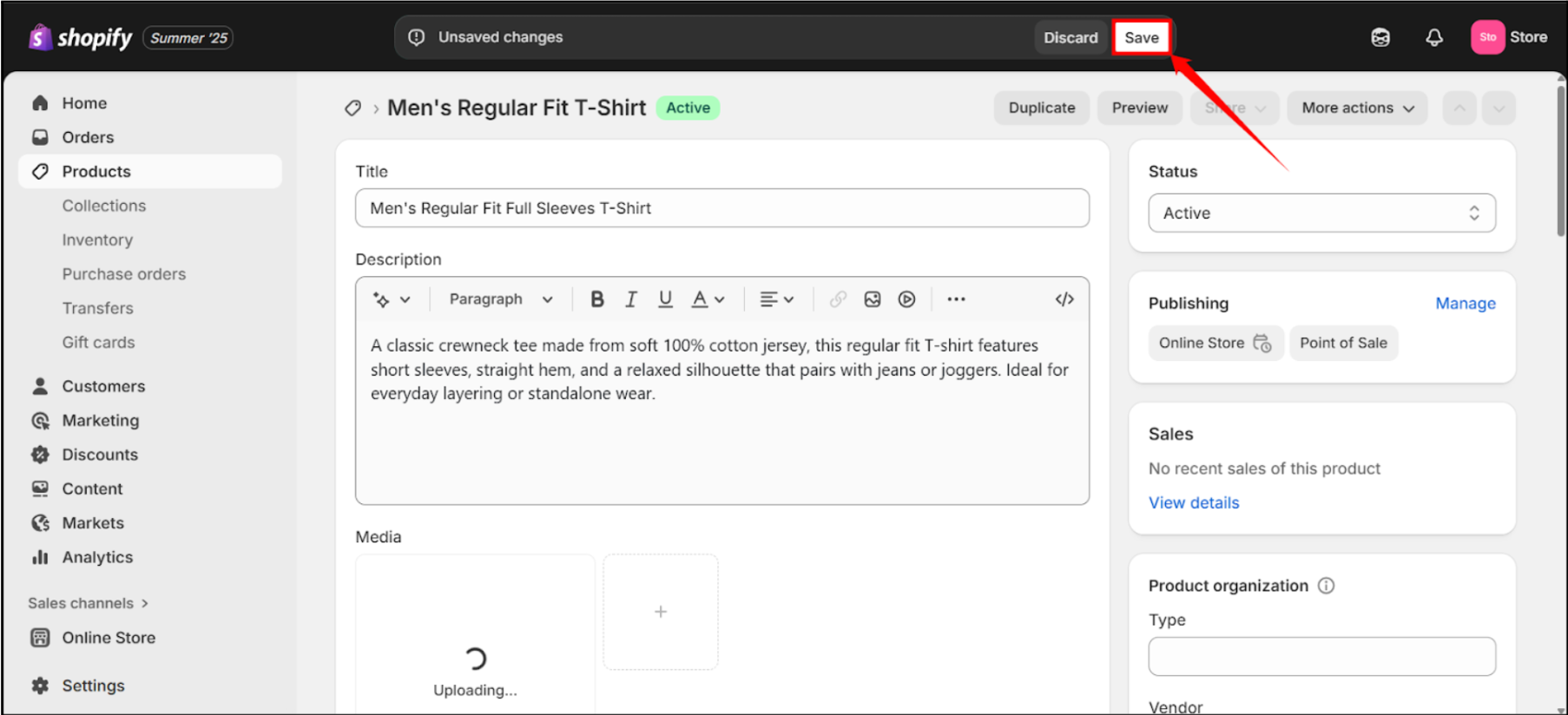
Adding a video to a Shopify product page helps customers see the product in action, making it easier for them to understand how it looks, works, or fits. Images can show only so much; videos give a clear and complete view. This reduces confusion, lowers return rates, and helps customers feel confident before they buy. For many products, a short video can answer common questions before they’re even asked.
Requirements to Add Video
Here are some necessary requirements you will need to add video to Shopify product pages:
| Attribute | Requirement |
| File Size | Maximum of 1 GB (gigabyte) |
| Resolution | Maximum UHD Resolution |
| Video Length | Maximum 10 Minutes Video Length |
| File Formats | MOV, MP4, and WEBM |
| Minimum Width and Height | 100 Pixels |
| Maximum Width and Height | 4096 Pixels |
| Maximum Frame Rate | 120 Frames Per Second |
| Minimum Video Length | 0.25 Seconds |
| File Names | File names may contain letters, numbers, spaces, and symbols, but must not begin with a period. |
Add Video via Shopify Admin (Native Support)
Adding video through Shopify Admin ensures seamless integration with your product pages. It enhances product listings without relying on third-party apps. This method keeps your media organized, loads faster, and provides a more consistent shopping experience for customers.
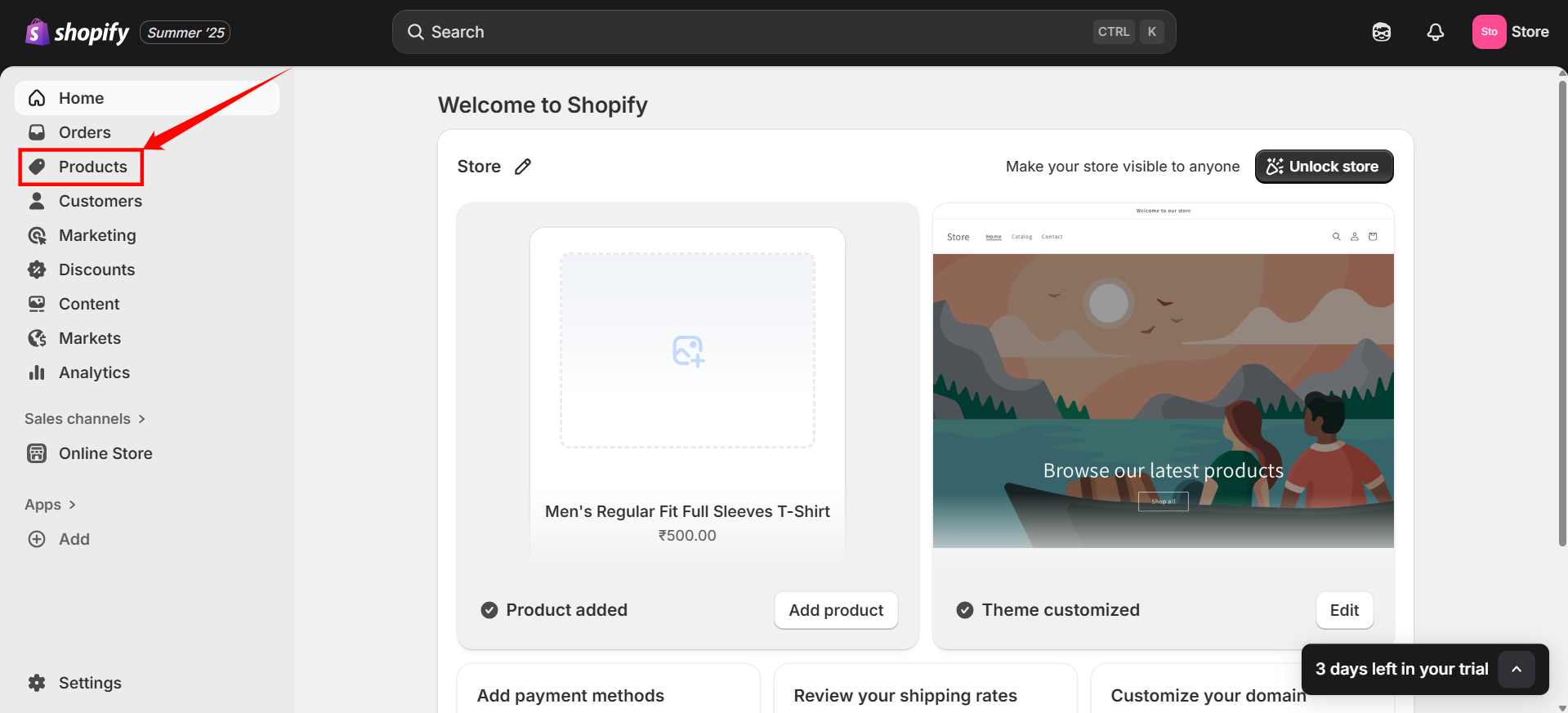
Step 1: Log in to your Shopify Store and click on the “Products” section on the left side bar.
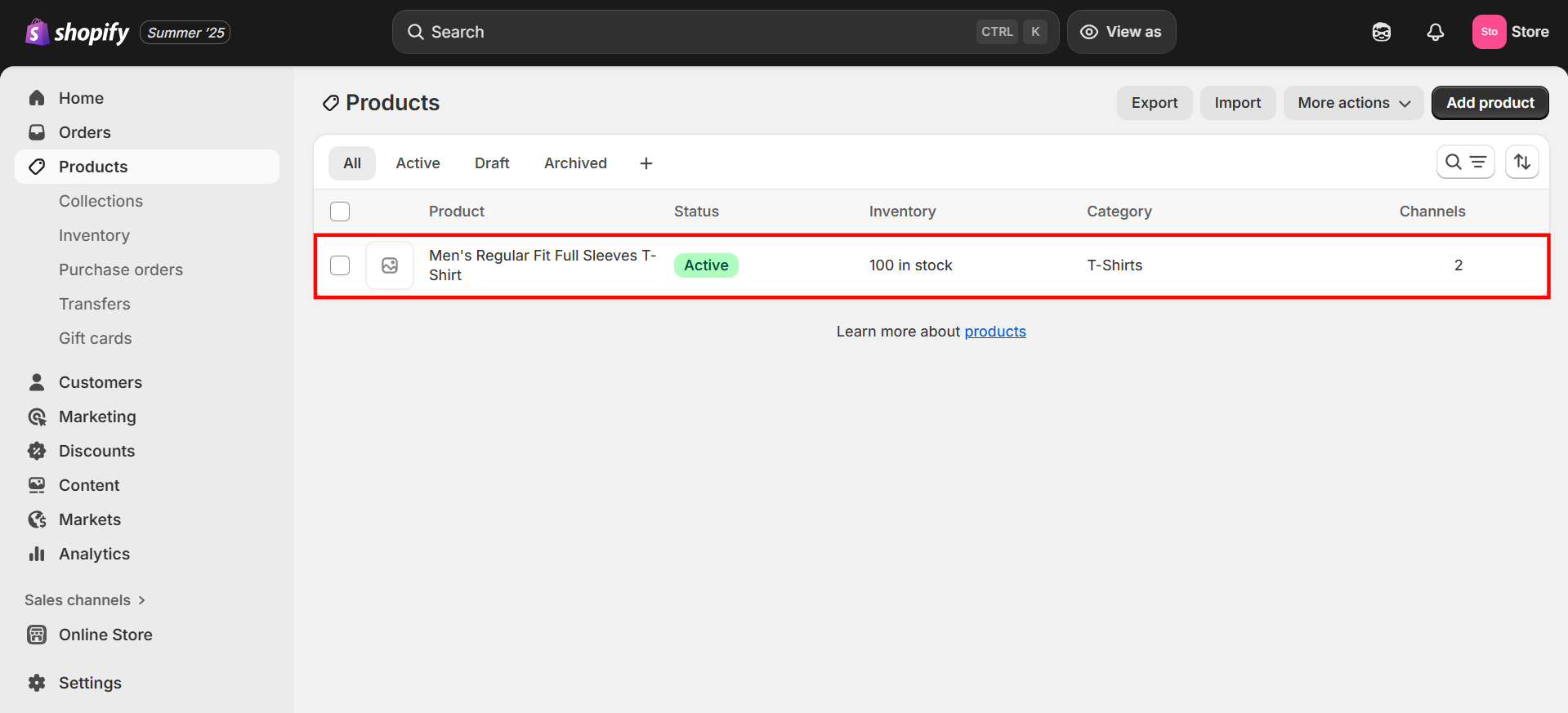
Step 2: Click on the product in which you want to add the video.
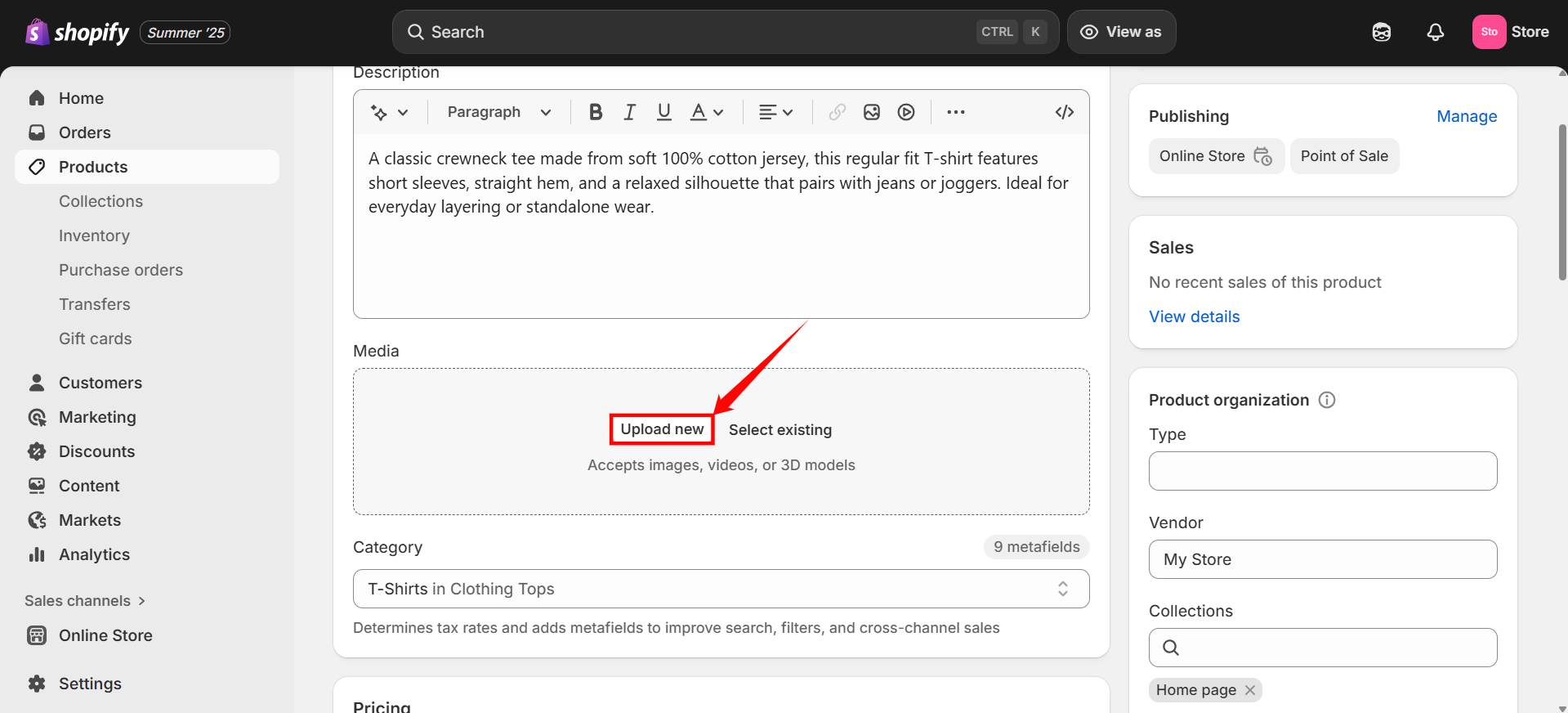
Step 3: Scroll down, click on the “Upload new” button under the “Media” section, and select the appropriate video you want to upload from your device.
Step 4: Click on the “Save” button at the top of the page.