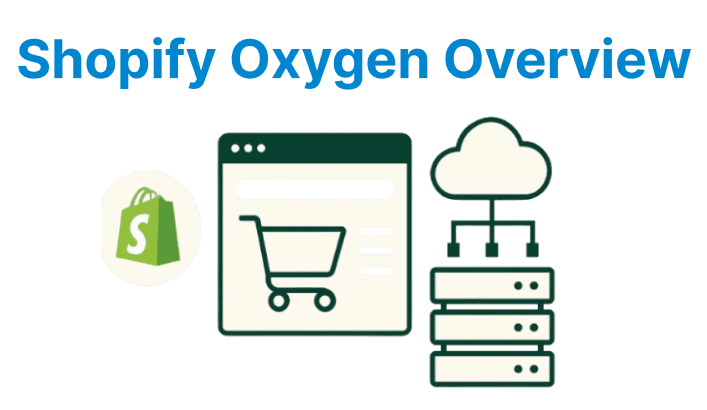
Shopify Oxygen is a headless commerce platform that separates the storefront from the backend for developers to build fast & flexible shopping experiences. Instead of relying on Shopify’s default theme architecture, Oxygen uses a modern web development approach with frameworks like Hydrogen.
This shift gives full control over the frontend design and performance without losing the benefits of Shopify’s backend. As e-commerce demands grow, teams can use this model to deliver custom storefronts that are optimized for speed and tailored to user needs.
How Shopify Oxygen Functions as a Headless Deployment Platform
Oxygen processes storefront logic across distributed edge locations, bypassing centralized server bottlenecks. The platform compiles Hydrogen-based React applications into edge-compatible functions to execute SSR and API resolvers adjacent to user requests. Each edge node caches storefront assets, product data, and media metadata to reduce origin fetches. Oxygen’s runtime isolates Hydrogen components for concurrent rendering pipelines without shared-memory constraints.
Edge Infrastructure and Decoupled Rendering
Oxygen’s edge nodes deploy storefront logic as serverless functions, triggered by HTTP requests. The platform pre-compiles Hydrogen components into V8 isolates to process SSR and data hydration without cold starts. Geographic routing directs requests to the nearest edge location, while stale-while-revalidate (SWR) caching maintains low-latency responses.
// Hydrogen route component with edge-side data fetching
export default function ProductPage({response}) {
const {data} = useShopQuery({
query: PRODUCT_QUERY,
cache: {maxAge: 3600, swr: 7200}
});
return <ProductVideoPlayer media={data.media} />;
}
Explanation:
- useShopQuery: Performs GraphQL queries directly at the edge using Hydrogen's data hooks.
- PRODUCT_QUERY: Fetches product media, such as video URLs or thumbnails.
- cache.maxAge: Sets the hard caching TTL; swr allows stale data while revalidating for 2 hours.
Geographic Routing and Performance Model
Oxygen’s traffic director routes requests based on geolocation headers to minimize round-trip latency. Edge nodes synchronize cache invalidation via pub/sub messaging for consistent product data. The runtime prioritizes streaming responses for video content, using ranged fetches to reduce time-to-first-byte.
Versioned Edge Deployments with Atomic Rollouts
Shopify Oxygen handles storefront updates through immutable, versioned builds that deploy atomically across its global edge network. Each deployment generates a uniquely hashed bundle, enabling controlled rollout and instant rollback capabilities.
| Rendering Layer | Traditional Shopify (Liquid) | Hydrogen + Oxygen (React/Edge) |
| SSR Location | Centralized Origin Server | Distributed Edge Nodes |
| Data Fetching | Synchronous and Server-Bound | Async and Edge-Cached |
| Media Handling | CDN-Only and No Edge Logic | Edge-Side Metadata Processing |
This setup defines deployment behavior in oxygen.config.js:
export default {
deploymentStrategy: {
rollout: 'gradual', // Options: 'gradual', 'canary', or 'instant'
healthChecks: ['/status'], // Endpoint used for pre-rollout validation
}
};
Explanation:
- Sets rollout to 'gradual' to enable staged deployment across regions or traffic percentages.
- Defines a healthChecks array with endpoints like /status used to verify system readiness before rollout proceeds.
Context-Aware Edge Caching Rules
Oxygen supports programmable caching logic based on request context, enabling granular control over response caching. Caching decisions adapt dynamically based on geography, user authentication, or backend state (like inventory). For example, product pricing can be cached per country, with fast expiration triggered by inventory thresholds:
export async function api(request, {env}) {
const region = request.cf.country;
const key = `product-${request.params.id}-${region}`;
const cached = await env.OXYGEN_CACHE.get(key);

const inventory = await getInventory(request.params.id);
const ttl = inventory < 5 ? 10 : 3600;

if (!cached || inventory < 5) {
const data = await fetchFreshProductData();
await env.OXYGEN_CACHE.put(key, data, {
metadata: { inventory },
ttl,
});
return data;
}

return cached;
}
Explanation:
- Defines an edge API route with dynamic product caching per region using Cloudflare's request.cf.country.
- Constructs a cache key combining product ID and region, then checks for a cached response in OXYGEN_CACHE.
- Queries current inventory levels; if stock is low (< 5), it sets a short TTL (10 seconds), otherwise defaults to 1 hour.
Getting Started with Shopify Oxygen and Hydrogen
Shopify Plus supports custom storefronts through Hydrogen (a React-based framework) and Oxygen (Shopify's global hosting platform). This setup delivers edge-rendered storefronts with integrated GraphQL queries, media optimization, and SSR (server-side rendering) capabilities. The following steps outline how to provision, configure, and deploy a high-performance Hydrogen storefront on Oxygen.
Install Shopify CLI
Install the required CLI tools globally:
npm install -g @shopify/cli @shopify/cli-hydrogenExplanation:
- Installs Shopify's CLI tools globally using npm for system-wide access.
- @shopify/cli provides commands to scaffold, preview, and deploy Hydrogen storefronts.
- @shopify/cli-hydrogen adds Hydrogen-specific features to the core CLI.
Initialize a Hydrogen Storefront
Generate a new project using:
npm create @shopify/hydrogen@latest my-hydrogen-storefrontExplanation:
- Initializes a new Hydrogen project using Shopify’s latest project template.
- The @latest tag ensures the most up-to-date starter version is used.
- Creates a new directory named my-hydrogen-storefront with preconfigured files.
Configure Oxygen Deployment
Navigate to the project:
cd my-hydrogen-storefrontLink it to your Shopify store:
shopify hydrogen linkDeploy to Oxygen's edge network:
shopify hydrogen deployThis builds the app, provisions edge infrastructure, and pushes assets globally with automatic CDN integration.
Define Edge-Side Caching Behavior
Configure edge cache headers via hydrogen.config.js:
export default {
routes: "./src/routes",
edgeCache: {
maxAge: 3600,
swr: 7200,
},
};
Explanation:
- routes points to the custom route handlers directory.
- edgeCache.maxAge sets how long responses stay fresh in edge caches (in seconds).
- swr (stale-while-revalidate) defines how long stale content is served while background updates happen.
Integrate Edge-Cached Video Components
Install Shopify’s video player utility:
npm install @shopify/hydrogen-videoCreate a dynamic component with edge-cached GraphQL queries:
import {Video} from '@shopify/hydrogen-video';

export default function ProductVideo({id}) {
const {data} = useShopQuery({
query: VIDEO_QUERY,
variables: {id},
cache: {maxAge: 86400},
});

return <Video src={data.url} />;
}
Explanation:
- Imports the Video component from the @shopify/hydrogen-video package.
- Defines a ProductVideo component that accepts a media ID as a prop.
- Uses useShopQuery to fetch video metadata from Shopify's storefront API.
Run Development Server
Start local development:
shopify hydrogen devThis simulates Oxygen’s runtime and supports hot-reloading for component updates and GraphQL query changes.
Deploy Production Updates
Re-deploy to propagate changes across global edge nodes:
shopify hydrogen deployAll cache entries are automatically invalidated, ensuring instant updates with global consistency.
Building Video-Powered Storefronts with Hydrogen + Oxygen
Oxygen’s edge runtime processes video metadata, adaptive bitrate manifests, and playback state synchronization. Hydrogen components interact with Oxygen’s KV store to cache video transcripts, thumbnails, and analytics payloads at the edge. The platform’s streaming capabilities enable frame-accurate previews and low-latency playback across regions.
Video Component Hydration and Edge Caching
React components in Hydrogen fetch video metadata via Oxygen’s edge resolvers, which pre-cache transcripts and segmented manifests. The runtime optimizes video delivery using Accept-Encoding headers to select optimal bitrates.
// Video player component with edge-side metadata caching
function VideoPlayer({id}) {
const {data} = useShopQuery({
query: VIDEO_QUERY,
variables: {id},
cache: {maxAge: 86400}
});
return <AdaptiveVideoPlayer manifest={data.manifest} />;
}
Explanation:
- useShopQuery executes a GraphQL request using the provided VIDEO_QUERY and ID as input.
- cache.maxAge specifies that the response remains cached at the edge for 24 hours.
- data.manifest contains the adaptive streaming metadata required for playback.
Global Interactive UX with Edge Logic
Oxygen executes A/B tests, personalized recommendations, and real-time inventory checks at the edge. Video interactions trigger GraphQL mutations resolved by the nearest edge node. The runtime logs user events via WebAssembly-based analytics processors to reduce client-side JavaScript overhead.
// Edge-side analytics handler
export async function handleRequest(request, env) {
const events = await request.json();
env.ANALYTICS.write(events);
return new Response(null, {status: 202});
}
Explanation:
- handleRequest reads the incoming analytics payload from the HTTP request.
- request.json() parses the body to extract structured event data.
- env.ANALYTICS.write(events) pushes the data into the configured analytics store.