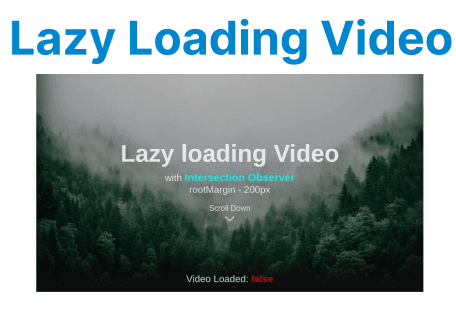
Lazy loading is a technique used to defer loading of non-essential resources at the point the page is initially loaded. It improves performance by ensuring that resources, such as videos, images, or other content, are loaded only when they come into view in the user's viewport. Implementing lazy loading for video content in a web application can greatly enhance user experience, especially on media-heavy sites.
IntersectionObserver
IntersectionObserver is a browser API that allows developers to efficiently monitor when an element enters or exits the viewport. This can be particularly useful for lazy loading videos, as it enables you to load video files only when they are about to appear on the user's screen, rather than loading them immediately when the page is loaded. This technique improves the initial page load time and conserves bandwidth.
How IntersectionObserver Works for Lazy Loading
The IntersectionObserver API works by observing a target element (in this case, a video element) and triggering a callback function when the element enters or exits the viewport. This callback function is where the lazy loading logic is implemented.
Here’s an overview of the basic workflow:
- Create an IntersectionObserver instance and specify the callback function.
- Attach the observer to the video elements that need to be lazy-loaded.
- When the video is about to enter the viewport, the observer calls the callback, which sets the video’s src or data-src attribute, allowing the video to start loading.
- Optionally, the observer can disconnect once the video has started loading to improve performance.
Setting Up Lazy Loading for Videos Using IntersectionObserver
Step 1: HTML Structure for Video Element
First, create the basic structure of the HTML video element. Instead of setting the src attribute initially, use a data-src attribute to store the URL of the video file. This ensures the video is not loaded until it’s needed.
<video id="lazyVideo" controls>
<source data-src="path/to/your/video.mp4" type="video/mp4">
Your browser does not support the video tag.
</video>
Explanation:
- data-src: Holds the video source URL, which will be loaded only when the video is about to enter the viewport.
- controls: Provides basic controls like play/pause and volume to the user.
Step 2: JavaScript with IntersectionObserver
Now, write the JavaScript code to implement the lazy loading using IntersectionObserver.
// Get all video elements with data-src attribute
const videos = document.querySelectorAll('video[data-src]');

// Callback function to handle when the video enters the viewport
const loadVideo = (entries, observer) => {
entries.forEach(entry => {
// Check if the video is in the viewport
if (entry.isIntersecting) {
const video = entry.target;
// Set the video src from the data-src attribute
const source = video.querySelector('source');
source.src = source.getAttribute('data-src');
// Load the video
video.load();
// Once the video is loaded, disconnect the observer
observer.unobserve(video);
}
});
};

// Create an IntersectionObserver instance
const observer = new IntersectionObserver(loadVideo, {
rootMargin: '200px', // Load the video 200px before it enters the viewport
threshold: 0.1 // Trigger when 10% of the video is in the viewport
});

// Observe each video element
videos.forEach(video => {
observer.observe(video);
});
Explanation:
- IntersectionObserver is instantiated with a callback function (loadVideo) that will be called when a video enters the viewport.
- rootMargin: '200px': This ensures the video starts loading when it’s 200px away from entering the viewport.
- threshold: 0.1: The observer triggers when at least 10% of the video is in view.
- observer.observe(video): Starts observing each video element.
Managing Multiple Videos with Lazy Loading
If your page contains multiple videos and you want to load them only when they’re visible, you can extend the logic to handle all video elements dynamically. The IntersectionObserver is efficient enough to observe multiple elements without causing performance issues.
Example:
const videoElements = document.querySelectorAll('video[data-src]');

const videoObserver = new IntersectionObserver((entries, observer) => {
entries.forEach(entry => {
if (entry.isIntersecting) {
const video = entry.target;
const source = video.querySelector('source');
source.src = source.getAttribute('data-src');
video.load();
observer.unobserve(video);
}
});
}, { rootMargin: '200px', threshold: 0.1 });

videoElements.forEach(video => videoObserver.observe(video));
Explanation:
- videoElements: Selects all <video> elements that have a data-src attribute.
- videoObserver: Observes videos to detect when they enter the viewport.
- entry.isIntersecting: Checks if the video is visible within the threshold area.
- source.src = source.getAttribute('data-src'): Sets the video’s source from the data-src attribute for lazy loading.
- video.load(): Loads the video after setting its source.
- observer.unobserve(video): Stops observing the video once it has been loaded.
- rootMargin: '200px': Starts loading videos when they are within 200px of the viewport.
- threshold: 0.1: Triggers when at least 10% of the video is visible.
Error Handling in Lazy Loading Videos
While lazy loading improves performance, it’s important to handle potential errors, such as if the video fails to load. You can listen for the error event to catch these cases and display an appropriate message to the user.
Example:
const video = document.getElementById('lazyVideo');

video.addEventListener('error', (e) => {
console.error('Error loading video:', e);
alert('Sorry, the video could not be loaded.');
});
Explanation:
- video: References the video element with the ID lazyVideo.
- video.addEventListener('error'): Listens for errors while loading the video.
- console.error: Logs the error details to the browser console.
- alert: Displays a message to the user if the video fails to load.
Handling Multiple Video Elements
When a page contains multiple videos, managing their lazy loading efficiently is essential. The IntersectionObserver API makes it easy to handle multiple elements dynamically, ensuring that only videos that enter the viewport are loaded, reducing unnecessary network usage.
Example: Managing Multiple Videos
const videoElements = document.querySelectorAll('video[data-src]');

const videoObserver = new IntersectionObserver((entries, observer) => {
entries.forEach(entry => {
if (entry.isIntersecting) {
const video = entry.target;
const source = video.querySelector('source');
source.src = source.getAttribute('data-src');
video.load();
observer.unobserve(video); // Once the video is loaded, stop observing it
}
});
}, { rootMargin: '200px', threshold: 0.1 });

videoElements.forEach(video => videoObserver.observe(video));
Explanation:
- videoElements: Selects all video elements with a data-src attribute for lazy loading.
- videoObserver: Observes when video elements enter the viewport.
- entry.isIntersecting: Checks if the video is currently visible on the screen.
- source.src = source.getAttribute('data-src'): Assigns the actual video source from the data-src attribute.
- video.load(): Loads the video after setting the source.
- observer.unobserve(video): Stops observing the video once it has been loaded.
- rootMargin: '200px': Begins loading the video when it's within 200px of the viewport.
- threshold: 0.1: Triggers the load when 10% or more of the video is visible.
This setup ensures that only the videos visible in the viewport or within a certain proximity are loaded, making the page more efficient.
Benefits of Lazy Loading for Video Content
- Improved Performance: By only loading video content when needed, you reduce the number of network requests and the amount of data loaded on the initial page load, leading to faster page rendering.
- Reduced Bandwidth Usage: Only the videos that are visible to the user will be loaded, saving bandwidth and preventing unnecessary data usage.
- Enhanced User Experience: Users can start interacting with the page faster since non-essential content like videos is loaded only when required.