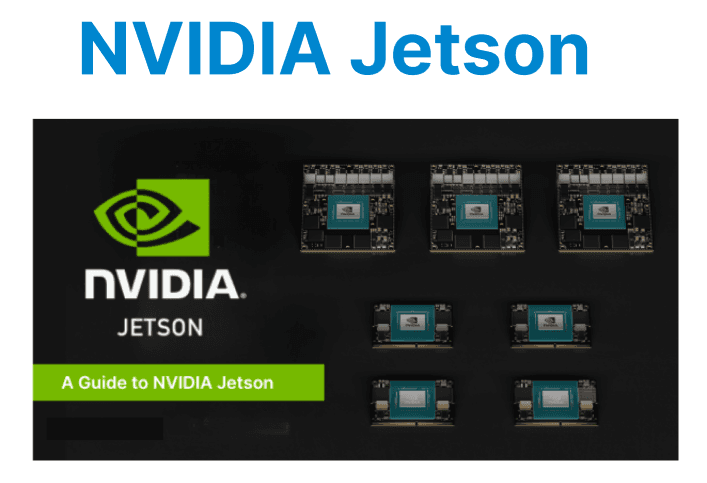
NVIDIA Jetson modules are compact, power-efficient platforms optimized for deploying AI-driven video processing at the edge. These devices integrate CUDA-capable GPUs with ARM CPUs, enabling real-time processing of high-resolution streams without relying on cloud infrastructure. Jetson platforms support key components like NVDEC for hardware-accelerated decoding, TensorRT for AI inference, and NVENC for low-latency encoding.
Jetson Platform Overview
Jetson modules integrate an ARM CPU, NVIDIA GPU, ISP, memory, and I/O on a single board. Models like Jetson Xavier NX and Orin offer Volta/Ampere-class GPUs with Tensor Cores, which are optimized for deep learning inference and video workloads. These modules run Linux for Tegra (L4T), which includes the Jetson Linux kernel, CUDA runtime, and GStreamer-based video components.
Software Stack and Toolkit Requirements
To begin development, install the following components:
- JetPack SDK: Includes L4T OS, CUDA, cuDNN, TensorRT, VPI, and DeepStream.
- CUDA Toolkit (>=10.2): Enables GPU compute acceleration for video filters and preprocessing.
- TensorRT: For optimized deep learning inference.
- GStreamer with nvarguscamerasrc and nvvidconv: Used for camera capture and frame conversion.
- DeepStream SDK: For building full video analytics pipelines.
JetPack can be installed via SDK Manager or flashed manually using the flash.sh script.
Video Input and Decoding on Jetson
Jetson supports MIPI CSI cameras, USB cameras, and RTSP streams. Camera input is accessed using nvarguscamerasrc, which interfaces directly with the onboard ISP for sensor tuning and efficient YUV capture.
Example GStreamer pipeline for camera input:
gst-launch-1.0 nvarguscamerasrc ! 'video/x-raw(memory:NVMM),width=1280,height=720' \ ! nvvidconv ! nvoverlaysinkFor decoding compressed input:
gst-launch-1.0 filesrc location=video.mp4 ! qtdemux ! h264parse ! nvv4l2decoder ! nvvidconv ! fpsdisplaysink
Preprocessing with CUDA or VPI
Before inference, frames are preprocessed using either CUDA kernels or the Vision Programming Interface (VPI). VPI offers pre-optimized algorithms like resizing, color space conversion, and lens distortion correction, all running on Jetson's GPU or ISP.
Example using VPI (C++ API):
vpiImageCreate(width, height, VPI_IMAGE_FORMAT_NV12, 0, &input); vpiSubmitConvertImage(stream, VPI_BACKEND_CUDA, input, output, VPI_INTERP_LINEAR);Running Inference with TensorRT
ONNX models are converted to TensorRT engines using trtexec or Python APIs. Jetson supports FP32, FP16, and INT8 precision.
Convert ONNX to TensorRT:
trtexec --onnx=model.onnx --saveEngine=model.trt --fp16Run inference:
context->enqueueV2(buffers, stream, nullptr);Edge-Optimized Object Tracking
DeepStream’s nvtracker plugin allows for object ID persistence across frames using IOU or DCF-based algorithms. Jetson handles this in real-time even on 1080p input with multiple objects.
Example configuration:
[tracker] tracker-width=640 tracker-height=384 ll-lib-file=/opt/nvidia/deepstream/deepstream/lib/libnvds_nvdcf_tracker.so enable-batch-process=1Encoding and Output
Use nvv4l2h264enc to encode processed frames back into H.264 format on the GPU. Output can be streamed (e.g., RTSP) or saved to disk.
Encoding example:
nvvidconv ! nvv4l2h264enc bitrate=4000000 ! rtph264pay ! udpsink host=<ip> port=5000Power and Performance Profiling
Jetson modules include tools for performance profiling and thermal tuning:
- tegrastats: Monitor CPU/GPU load and memory usage in real-time.
- nvpmodel: Set power/performance profiles.
- jetson_clocks: Lock clocks to max frequency for benchmarking.
sudo nvpmodel -m 0 sudo jetson_clocks tegrastatsUse these during testing to avoid throttling or underutilization.
Best Practices for Edge Video Deployment
- Use NVMM memory buffers for GStreamer to reduce latency.
- Minimize host-device copies using DMA-friendly zero-copy buffers.
- Batch inference where possible to optimize GPU occupancy.
- Enable INT8 precision in TensorRT to reduce power and improve speed.
- Offload preprocessing to ISP or PVA if supported by your Jetson model.