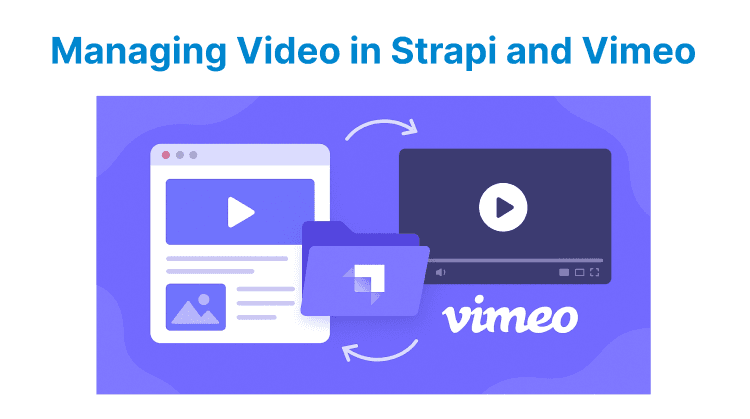
Video content management requires efficient handling of storage, metadata, delivery, and access control. Strapi and Vimeo serve unique but complementary roles in this ecosystem. Strapi works as a flexible headless CMS focused on organizing and managing video metadata and content structure. On the other hand, Vimeo specializes in video hosting, transcoding, secure playback, and analytics. Understanding their unique capabilities is essential for effective video content management.
Managing Video Content in Strapi
Strapi provides a customizable platform to store & manage video assets alongside other content types. It allows you to precisely control metadata, upload workflows, and access permissions within a unified CMS environment.
Structuring Video Content
Create custom content types specifically for videos in Strapi with fields for technical metadata such as duration, resolution, codec, and bitrate, alongside descriptive fields like titles, descriptions, and thumbnails. Defining these attributes upfront makes sure every video record carries consistent as well as reliable information.
For structuring video content, include components for related resources like captions, and use relations to link videos to other entities such as playlists. This structured approach prevents duplication, makes querying faster, and keeps video-related data centralized and maintainable.
Uploading and Storing Videos
Configure Strapi’s Media Library to accept supported video formats and set sensible file size limits so uploads don’t fail or overload the server. Instead of storing large video files locally, integrate an external provider such as Google Cloud Storage and serve them via a CDN. This offloads bandwidth-intensive video delivery from your Strapi instance and improves performance & scalability as your library grows.
For uploading & storing videos, use presigned URLs or direct-to-cloud uploads. It allows large files to bypass the Strapi server entirely and ensure storage permissions & caching rules are configured correctly to handle high-traffic access efficiently.

Automating Metadata Management
Set up Strapi lifecycle hooks (e.g., afterUpload) to automatically extract video metadata using tools such as ffprobe. Capturing details like duration, resolution, codec, and generated thumbnails at the time of upload keeps your content database aligned with the actual media files, reducing manual work and minimizing data inconsistencies.
Store this extracted metadata in the same video content type so it remains easily accessible for queries, filtering, and display. For large uploads, run this process in a background worker or queue so it doesn’t block user uploads or API responses.
Securing Video Assets
Implement role-based access control to limit who can upload, edit, and view video assets, ensuring that only authorized users handle sensitive or licensed content. Restricting access further reduces the risk of leaks, misuse, as well as accidental deletion.
To secure video assets, add validation rules to reject unsupported or malformed files at upload time, and consider scanning for malware or suspicious content if uploads are public-facing. But if videos are stored externally, use private buckets and serve files via signed URLs with short expiration times. Hence, direct links can’t be reused or shared without permission.
Versioning and Maintenance
When updating a video, replace its file while keeping the same content reference in Strapi, and track changes using version fields like revision numbers or timestamps. This approach prevents broken links in existing content while preserving a history of changes for audit or rollback.
You should periodically clean up old, unused, or orphaned video assets from storage to prevent clutter and reduce costs, and compress or re-encode outdated files to match current quality standards. Regular maintenance keeps the media library organized, lean, and performant as it grows.
Managing Video Content in Vimeo
Vimeo offers a dedicated video hosting & streaming service with built-in transcoding, playback customization, and security features. It simplifies video delivery and analytics while supporting robust privacy & embedding options.
Uploading Videos
Upload videos to Vimeo through its web interface, API, or SDK, which all support resumable uploads to prevent failures during large file transfers. Once uploaded, Vimeo transcodes each file into multiple renditions to ensure smooth playback across different devices and network conditions.
Using the API for uploads is useful when handling large batches or integrating uploads into an existing system, as it allows background processing, progress tracking, and error handling without manual intervention.
Organizing Video Assets
Maintain a clean organization by enriching each video with accurate metadata such as titles, descriptions, and custom thumbnails directly in Vimeo. This metadata improves searchability and viewer context while keeping the library structured as it scales.
Group related videos into albums, showcases, or playlists to streamline browsing and ensure that content is easy to manage, present, and embed without losing track of individual items within a growing catalog.
Configuring Playback and Embedding
Tailor the Vimeo player’s behavior and appearance by adjusting settings for privacy, autoplay, controls, and color styling. This helps ensure the viewing experience aligns with your brand or platform requirements.
Once configured, embed videos using Vimeo’s iframe embed codes or generate player URLs via the API to integrate them into websites or applications. These controls help maintain consistent branding and deliver a polished playback experience without additional video infrastructure.
Controlling Access and Security
Protect your video content by applying Vimeo’s privacy options, which include public, private, or password-protected access, as well as domain-level restrictions that limit playback to specific websites.
For strict control, use signed URLs or token-based authentication to generate temporary playback links that prevent unauthorized sharing. These security measures ensure that videos are only accessible to approved viewers while reducing the risk of leaks or misuse.
Monitoring and Analytics
Track how videos perform using Vimeo’s analytics dashboard or API, which provides metrics like views, engagement, watch time, and audience geography. Monitoring this data helps identify which content resonates and where viewers drop off, guiding content optimization and publishing schedules. Integrating analytics into your reporting systems also makes it easier to measure ROI and refine your overall video strategy based on real usage patterns.
Automating Management via API
Use Vimeo’s API and webhooks to automate repetitive tasks such as uploading videos, updating metadata, and handling events like video processing completions or viewing milestones.
Automation reduces manual workload, keeps video data synchronized across systems, and enables seamless integration with CMSs, CRMs, or learning platforms. By embedding these processes into existing workflows, you can manage large video libraries at scale without operational bottlenecks.