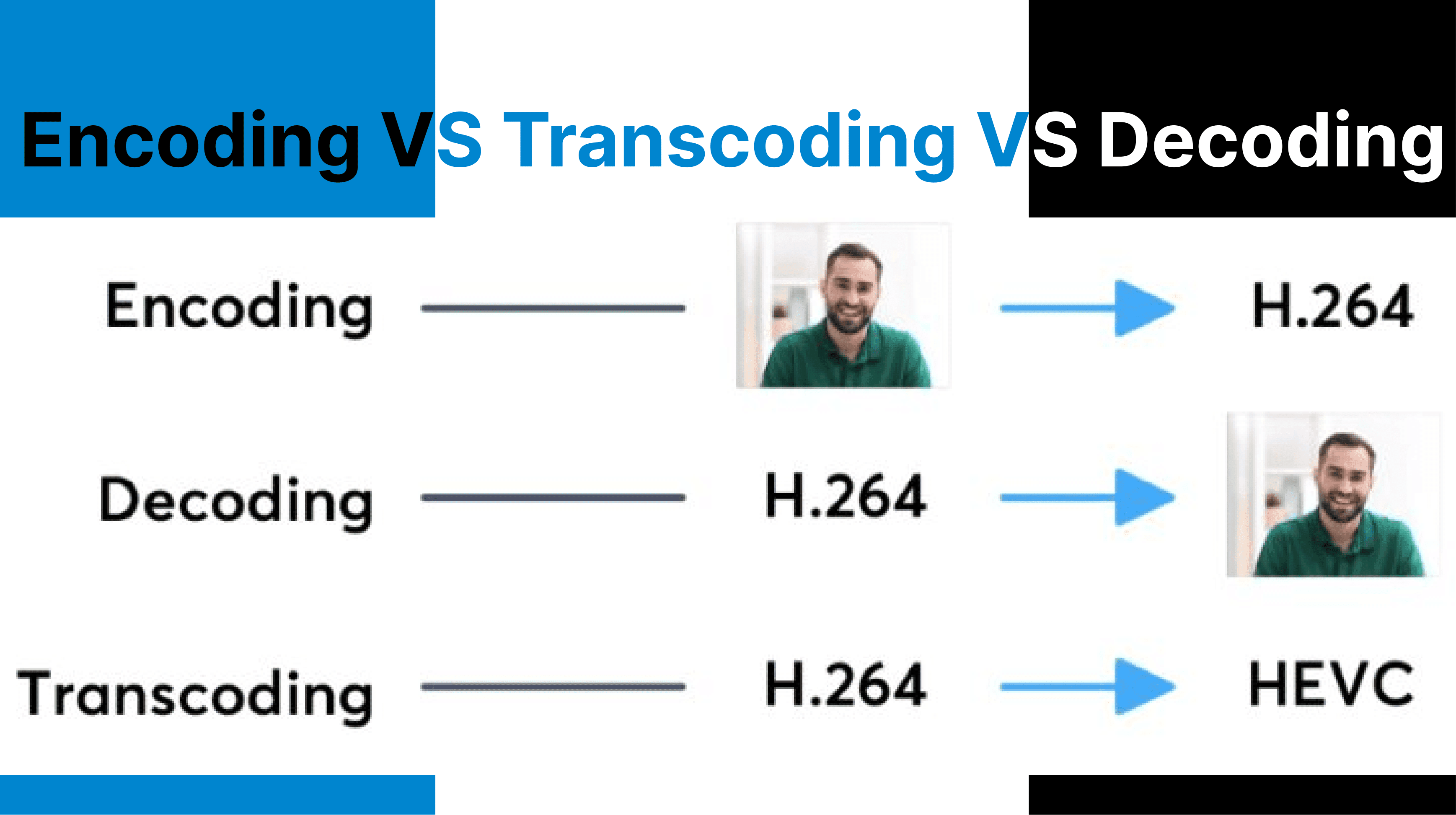
Encoding, transcoding, and decoding operate at different stages of the video processing pipeline, each distinctly transforming video data. Encoding compresses raw input into distributable formats. Transcoding modifies already encoded files to meet platform, resolution, or bitrate requirements. Decoding prepares compressed streams for playback by reconstructing them into display-ready frames. These processes differ in computational load, data flow direction, and placement within media workflows.
Video Encoding (Raw to Compressed Transformation)
Encoding takes uncompressed raw video (e.g., YUV 4:2:2) and compresses it using a codec like H.264 or HEVC. The output is a reduced-bitrate file packaged in a container (e.g., MP4), optimized for storage or transmission.
I. Input
Video encoding accepts raw video from camera sensors, typically in formats such as RGB or YUV, or from uncompressed frame buffers and real-time capture streams. This process operates on high-bandwidth data, such as 4K footage in YUV 4:2:2 format.
II. Output
The encoding process produces compressed video files using codecs like H.264 (AVC), H.265 (HEVC), or AV1. These outputs are stored in containers such as MP4, MKV, or MOV, which include metadata and multiplexed audio streams.
III. Process Detail
- Quantization: Reduces the precision of pixel values to achieve compression while balancing visual quality.
- Motion Estimation: Identifies and encodes movement patterns between frames to reduce redundancy.
- Entropy Coding: Applies algorithms like CABAC (Context-Adaptive Binary Arithmetic Coding) for efficient bitstream generation.
A 4K raw video (YUV 4:2:2) at 1.5 Gbps is encoded to H.264 at 10 Mbps into an .mp4 file.

Video Transcoding (Encoded to Re-encoded Transformation)
Transcoding accepts encoded video, decodes it, optionally modifies it (e.g., resolution, bitrate), and re-encodes it into a new format. It’s used for adapting media to different devices or bandwidth requirements.
I. Input
Transcoding requires pre-compressed video files encoded in ProRes, H.264, or VP9. Inputs include metadata such as frame rates and GOP structures.
II. Output
Transcoding produces re-encoded video with adjusted resolution, codec, bitrate, or container format to meet specific playback or bandwidth constraints.
III. Process Detail
- Decoding: Converts the compressed input stream into an intermediate uncompressed format.
- Optional Modifications: Includes resizing (e.g., scaling from 1080p to 720p), frame rate adjustments, or watermark insertion.
- Re-encoding: Compresses the modified intermediate format into the target codec and contains
A 1080p ProRes .mov file is transcoded to 720p H.264 .mp4 at a lower bitrate for mobile streaming.
Video Decoding (Compressed to Viewable Transformation)
Decoding reconstructs compressed video streams into viewable frames by reversing the encoding process. It restores motion, quantization, and color data to feed into display buffers or processing pipelines.
I. Input
Video decoding operates on compressed bitstreams received from local storage or network streams (e.g., RTMP or HLS protocols).
II. Output
Decoding reconstructs raw image frames suitable for playback on display hardware or further processing by applications like AI models.
III. Process Detail
- Stream Parsing: Reads codec-specific headers and metadata for decoding instructions.
- Reconstruction: Applies motion compensation and inverse discrete cosine transform (IDCT) to recreate full-resolution frames.
- Buffer Management: Handles DTS (Decode Timestamps) and PTS (Presentation Timestamps) for synchronized playback.
Temporal Behavior and Frame Timing
Encoding
Encoders capture frames at fixed intervals (e.g., 24, 30, 60 fps) and structure them using GOP (Group of Pictures). The GOP contains I-frames, P-frames, and B-frames, which determine both compression efficiency and seekability.
Transcoding
May change the temporal structure of the video. Frame rate adjustments require re-interpolation or frame dropping. GOP size and keyframe interval may be redefined during re-encoding.
Decoding
Decoders use Decode Timestamps (DTS) and Presentation Timestamps (PTS) to ensure frames are displayed at the correct time. Buffering logic handles frame reordering and network-induced jitter in streaming contexts.
Codec and Format Considerations
Encoding
The selected codec (e.g., H.264, H.265, AV1) affects compression ratio, visual quality, and decoder requirements. Encoded output is wrapped in a container such as .mp4, .mkv, or .mov, which stores video, audio, and metadata.
Transcoding
Used for converting between codecs (e.g., MPEG-2 to H.265) or containers (e.g., .mov to .mp4). Some tools allow container-only changes without decoding (transmuting), while others require full decode–encode.
Decoding
Decoders may use software or hardware acceleration (e.g., Intel Quick Sync, NVIDIA NVDEC). Platform limitations must be considered — for example, Safari does not support AV1, while Chromium-based browsers do.
Developer Overhead and Workflow Impact
Encoding
High computational cost depending on codec, resolution, and encoding presets. Commonly integrated into capture or export workflows using tools like OBS, FFmpeg, or Adobe Media Encoder.
Transcoding
Involves high I/O operations due to full decode–encode cycles. Often offloaded to cloud-based services (e.g., AWS MediaConvert, Cincopa API) or local batch tools like HandBrake.
Decoding
Real-time decoding must prioritize low latency, especially in conferencing, streaming, or surveillance systems. Playback engines must support both the container and codec used in the stream.
Comparsion Table
| Feature | Encoding | Transcoding | Decoding |
| Input Type | Raw video | Encoded video | Encoded video |
| Output Type | Compressed video | Modified compressed video | Raw frames for playback |
| Main Role | Initial compression | Adaptation & re-formatting | Display or further processing |
| CPU/GPU Load | High | Very high | Moderate to Low (if hardware-accelerated) |
| Loss Potential | Low if controlled | High (due to recompression) | None |
| Tooling | FFmpeg, OBS, Adobe Encoder | FFmpeg, AWS, HandBrake | VLC, Web players, GPU decoders |
| Best Use Case | Exporting, live-streaming | ABR streaming, format migration | Playback, AI analysis |
What’s next?
Managing complex video workflows with diverse formats and delivery targets? Use Cincopa’s API to streamline encoding, transcoding, and decoding across your pipeline. Whether you're preparing raw content for streaming, adapting to variable bandwidths, or decoding for real-time AI processing, our developer tools for integration, optimal compression, and high-quality playback on any device or network condition.
One API for All Stages of Video Processing
- Encode raw video to H.264, HEVC, AV1, and more
- Transcode for ABR, mobile, or platform-specific delivery
- Decode for playback, AI models, or analysis pipelines
- Automate format conversion, metadata, and frame timing
Build smarter video workflows (from input to playback) with full control and minimal overhead.