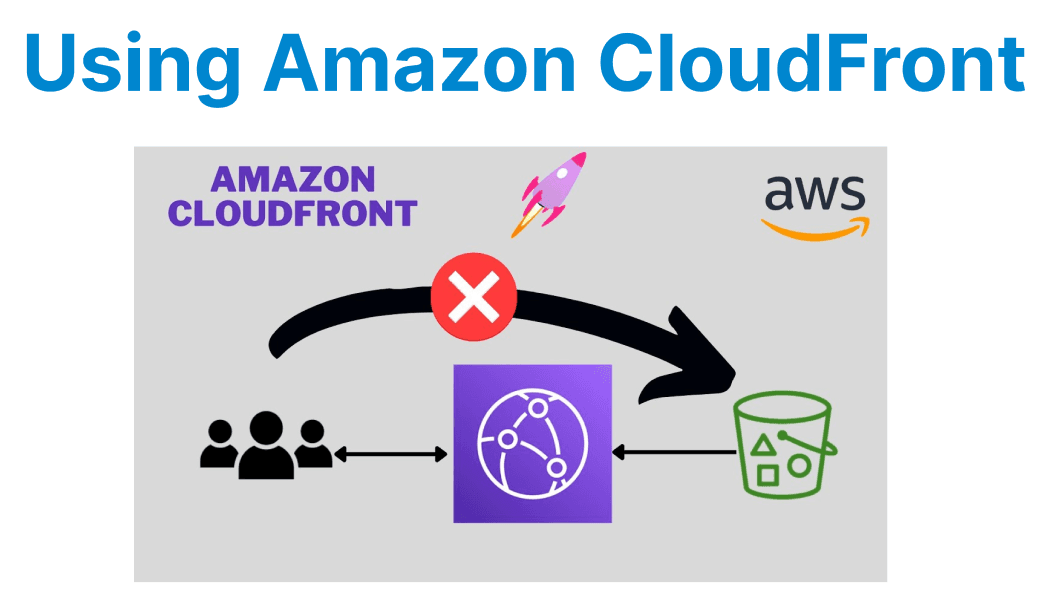
Delivering high-quality video content at scale is a critical challenge for developers building modern streaming applications. Amazon CloudFront, a globally distributed Content Delivery Network (CDN), provides a robust solution for optimizing video delivery with low latency, high throughput, and cost efficiency.
CloudFront Architecture for Video Delivery
Amazon CloudFront operates using a global network of Edge Locations that cache content closer to end-users, reducing latency. For video delivery, CloudFront integrates seamlessly with AWS Media Services (e.g., AWS Elemental MediaPackage, MediaTailor) and S3 for origin storage.
| Component | Role in Video Delivery |
| Edge Locations | Cache video segments (HLS/DASH) to reduce origin load |
| Origin (S3, MediaPackage, Custom HTTP Server) | Stores original video files |
| Lambda@Edge | Enables dynamic content manipulation at the edge |
| AWS Shield & WAF | Protects against DDoS and malicious requests |
Developers can configure multiple origins (failover or load-balanced) to ensure high availability.
Supported Video Formats & Protocols
CloudFront supports industry-standard streaming protocols:
- HLS (HTTP Live Streaming) – Adaptive bitrate streaming for Apple devices.
- MPEG-DASH – Dynamic Adaptive Streaming over HTTP, widely used for cross-platform streaming.
- Smooth Streaming – Microsoft’s adaptive streaming format.
- Progressive Download – For simpler use cases (MP4, WebM).

Example: Configuring CloudFront for HLS/DASH
# AWS CLI command to create a CloudFront distribution for HLS streamingaws cloudfront create-distribution \ --origin-domain-name my-video-bucket.s3.amazonaws.com \ --default-cache-behavior "ViewerProtocolPolicy=allow-all,AllowedMethods=GET,HEAD" \ --enabledFor adaptive bitrate streaming, videos should be encoded in multiple resolutions (e.g., 1080p, 720p, 480p) and segmented using tools like FFmpeg:
ffmpeg -i input.mp4 -c:v libx264 -b:v 5M -maxrate 5M -bufsize 2M -g 60 -f hls -hls_time 10 output.m3u8Caching & Performance Optimization
Cache-Control Headers
CloudFront respects HTTP caching headers. Developers should set optimal TTLs:
Cache-Control: public, max-age=86400Lambda@Edge for Dynamic Manipulation
Lambda@Edge allows modifying requests/responses at the edge. Example:
exports.handler = async (event) => { const request = event.Records[0].cf.request; // Modify request URI for A/B testing if (request.uri.endsWith('.m3u8')) { request.uri = `/variant-a${request.uri}`; } return request;};Geo-Blocking & Device Detection
CloudFront supports geo-restriction and device-based routing:
{ "geoRestriction": { "RestrictionType": "blacklist", "Items": ["RU", "CN"] }}Security & Access Control
Signed URLs & Cookies
Restrict access using signed URLs (short-lived) or signed cookies (for multiple files):
from datetime import datetime, timedeltafrom aws_cdk import aws_cloudfront as cloudfrontexpiry_time = datetime.now() + timedelta(hours=1)signed_url = cloudfront.sign_url( "https://d123.cloudfront.net/video.mp4", key_pair_id="APKAIEXAMPLE", private_key="-----BEGIN PRIVATE KEY-----\n...", expire_time=expiry_time)Field-Level Encryption
Encrypt sensitive fields (e.g., user tokens) using CloudFront Field-Level Encryption:
# CloudFormation snippet EncryptionEntity: - PublicKeyId: "K2EXAMPLE" ProviderId: "provider-name" FieldPatterns: "user-token"Cost Optimization Strategies
- Regional Caching: Use Price Classes (e.g., PriceClass_100 for North America/Europe only).
- Compression: Enable Brotli/Gzip for manifest files (.m3u8, .mpd).
- Monitoring: Use CloudFront Real-Time Logs with Kinesis for analytics.
-- Athena query for analyzing access patternsSELECT uri, COUNT(*) as requests FROM cloudfront_logs WHERE date = current_date GROUP BY uri ORDER BY requests DESC;