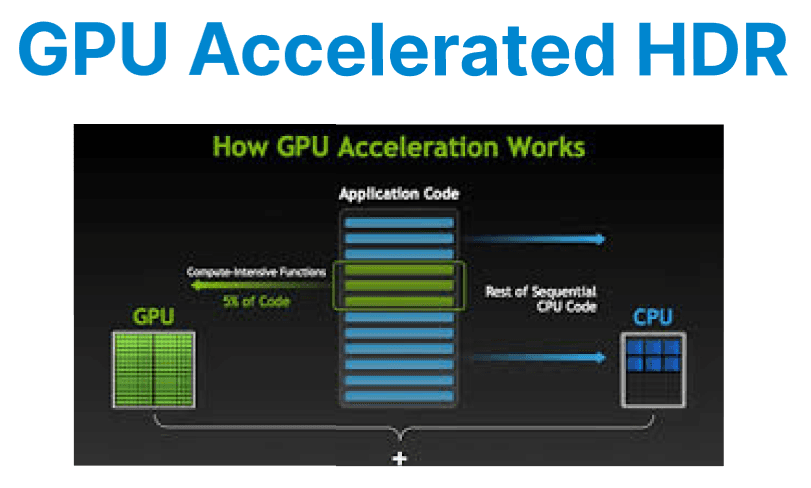
High Dynamic Range (HDR) video requires precise handling of luminance, color space, and bit depth. GPU acceleration ensures real-time encoding and transformation of HDR content by leveraging hardware encoders (e.g., NVENC), CUDA-based filters, and optimized tone-mapping operations.
Input Requirements for HDR Encoding
Before encoding HDR content, source footage must meet the following conditions:
- Color Primaries: Rec. 2020 (BT.2020)
- Transfer Characteristics: SMPTE ST 2084 (PQ) for HDR10 or ARIB STD-B67 for HLG
- Bit Depth: At least 10-bit (YUV420P10LE)
- Metadata: Static metadata (HDR10) or dynamic metadata (HDR10+, Dolby Vision)
Use FFprobe to inspect input properties:
ffprobe -i hdr_input.mp4 -show_streams -select_streams vEncoding HDR Video with NVENC
NVENC supports 10-bit encoding for both HEVC (H.265) and H.264, but HEVC is generally preferred for HDR due to broader support and better compression efficiency. When encoding, it is necessary to specify the pixel format as p010le, set the color primaries and transfer characteristics to match HDR standards, and inject the appropriate metadata for mastering display and content light levels.

Example: Encoding HDR10 using NVENC
ffmpeg -hwaccel cuda -i hdr_input.mp4 \
-c:v hevc_nvenc -pix_fmt p010le -preset p4 -rc vbr -b:v 15M \
-color_primaries bt2020 -color_trc smpte2084 -colorspace bt2020nc \
-metadata:s:v:0 master-display="G(13250,34500)B(7500,3000)R(34000,16000)WP(15635,16450)L(10000000,1)" \
-metadata:s:v:0 max-cll="1000,400" \
output_hdr10.mp4
Explanation:
- -pix_fmt p010le: 10-bit planar YUV 4:2:0 format
- -color_primaries, -color_trc, -colorspace: Define HDR metadata
- -metadata master-display: Sets HDR10 mastering display data
- -metadata max-cll: Sets max content light level and frame average light level
- -preset p4: Balanced quality/speed encoding
- -rc vbr -b:v 15M: Variable bitrate targeting 15 Mbps
GPU-based Tone Mapping (HDR → SDR)
Tone mapping is required when converting HDR content for playback on SDR displays, as SDR cannot represent the full luminance and color range of HDR. GPU-accelerated tone mapping, using filters such as FFmpeg's zscale or tonemap_cuda, enables real-time conversion by leveraging the parallel processing power of the GPU.
Example: Tone Mapping HDR10 to SDR BT.709 (GPU Accelerated)
ffmpeg -hwaccel cuda -i hdr_input.mp4 \
-vf "zscale=t=linear:npl=100,format=gbrpf32le,zscale=p=bt709:t=bt709:m=bt709:r=tv,format=yuv420p" \
-c:v h264_nvenc -preset p3 -b:v 8M output_sdr.mp4
Explantation:
- zscale=t=linear: Convert to linear light
- npl=100: Nominal peak luminance (cd/m²)
- format=gbrpf32le: 32-bit float for precise tone-mapping
- Final format conversion ensures output compatibility with SDR codecs
Preserving HDR Metadata in Encoded Output
For HDR content to display correctly on compatible devices, static metadata must be preserved in the video bitstream. FFmpeg allows injecting mastering display and content light level metadata into HEVC output, as shown in the encoding section above. These values should match the original footage or mastering display configuration.
Validate encoded metadata:
ffprobe -i output_hdr10.mp4 -show_frames -select_streams vUsing CUDA Kernels for HDR Frame Processing
Custom CUDA kernels can be written for operations like:
- Per-channel scaling (for contrast adjustment)
- Color grading (applying LUTs on 10-bit data)
- Temporal smoothing (to reduce flicker in HDR transitions)
Use cudaMallocPitch() for aligned frame buffers in P010 format, and ensure each CUDA thread processes a specific YUV macroblock.
Example:
__global__ void adjust_luminance(uint16_t* y_plane, int width, int height, float scale) {
int x = blockIdx.x * blockDim.x + threadIdx.x;
int y = blockIdx.y * blockDim.y + threadIdx.y;
int idx = y * width + x;
if (x < width && y < height) {
float luminance = y_plane[idx] / 1023.0f;
luminance *= scale;
luminance = min(1.0f, max(0.0f, luminance));
y_plane[idx] = luminance * 1023;
}
}
Launch with:
adjust_luminance<<<blocks, threads>>>(d_y_plane, width, height, 1.1f);