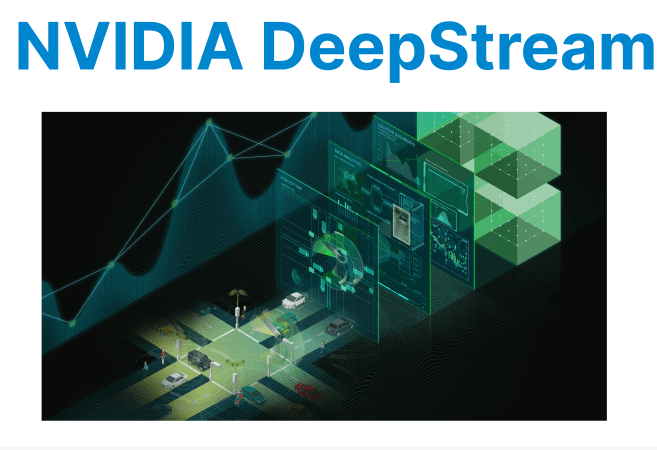
The NVIDIA DeepStream SDK is a high-performance streaming analytics toolkit designed for building end-to-end AI video pipelines on NVIDIA GPUs. Built on GStreamer, it enables real-time video decoding, inference, object tracking, and metadata extraction. The framework is optimized for edge and cloud environments using components such as NVDEC, NVENC, TensorRT, and CUDA.
Core Architecture
DeepStream applications are built using modular plugins that integrate tightly with the GStreamer pipeline. The data path typically includes decoding, inference, post-processing, and rendering/output.
Standard pipeline flow:
[Input] → nvdec → nvinfer → nvtracker → nvdsosd → nveglglessink /filesinknvdec: Hardware-accelerated decoder- nvdec: Uses the NVIDIA hardware video decoder (NVDEC) to convert compressed streams (e.g., H.264/H.265) into raw YUV frames stored in GPU memory. Supports input from files, RTSP streams, and cameras.
- nvinfer: Executes TensorRT-optimized models for object detection, classification, or segmentation. It supports primary and secondary inferencing, batching, and custom preprocessing.
- nvtracker: Tracks detected objects across frames using KLT, IOU, or NvDCF algorithms. Maintains persistent object IDs, needed for analytics like counting, path tracking, and re-identification.
- nvdsosd: Draws on-screen elements like bounding boxes, class labels, confidence scores, and object IDs using GPU rendering. Operates on metadata output from nvinfer and nvtracker.
- nveglglessink / filesink: Renders the annotated video to a display (OpenGL/GLES) or writes to a compressed file using NVENC. Sink selection depends on whether the application is interactive or headless.
Input Setup and Stream Batching
DeepStream supports input from multiple RTSP, USB, or local video sources. Configuration is provided via INI-style files used by the deepstream-app launcher.
deepstream-app -c configs/deepstream_app_config.txtSample Source Configuration
Specifies the settings for each input stream using [sourceX] blocks. Defines the stream type (e.g., RTSP), the input URI, number of channels, and the GPU used for decoding. Each input must be configured to be included in the pipeline.
[source0]enable=1type=3uri=rtsp://<camera-ip>:554/stream1numsources=1- type=3: RTSP stream input.
- enable=1: Activates this source block.
- uri: Input stream URL.
- num-sources: Number of sub-streams in this block.
- gpu-id: GPU used for decoding.
Each input source must be defined in a separate [sourceX] block. All inputs are sent to the multiplexer for batching
Stream Multiplexing (nvstreammux)
The nvstreammux plugin combines multiple input frames into a single batch for batched inference. All frames are resized to a common resolution.
[streammux]batch-size=4width=1280height=720batched-pushtimeout=40000- batch-size: Must match the number of enabled [sourceX] entries.
- width, height: All frames are resized to this resolution before inference.
- batched-push-timeout: Time (in µs) to wait for frame alignment before pushing the batch.
- enable-padding: Maintains aspect ratio using padding (black bars).
- gpu-id: GPU used for muxing and buffer management.
nvstreammux ensures that inference receives aligned batches, which improves model throughput and consistency.
Inference Engine Configuration
The nvinfer plugin runs deep learning models for object detection, classification, or segmentation using TensorRT. Models must be provided as .engine files, typically exported from ONNX, TensorFlow, or Caffe
Basic inference setup:
[primary-gie]enable=1model-engine file=./resnet18_detector.trtlabelfile-path=labels.txtbatchsize=4network-mode=2interval=0gie-unique id=1config-file-path=config_infer_primary.txt- model-engine-file: Path to TensorRT .engine file.
- labelfile-path: Text file mapping class indices to names.
- batch-size: Must match streammux.batch-size.
- network-mode: 0 = INT8, 1 = FP32, 2 = FP16.
- interval: Frame skipping for inference. 0 = infer on every frame.
- config-file-path: Specifies network preprocessing, input layers, postprocessing, and scaling options.
- gie-unique-id: Required to link secondary GIEs.
Models must be converted to .engine format using TensorRT CLI tools or DeepStream scripts from ONNX/Caffe/TensorFlow.
Real-Time AI Analysis via CLI
To execute a complete DeepStream pipeline directly from the terminal using a predefined configuration file. It allows users to run real-time inference, handle inputs and outputs, and control the processing flow without writing application code.
To launch the pipeline:
deepstream-app -c configs/deepstream_app_config.txt- This command reads the configuration file and runs the pipeline, which may include video decoding, inference, object tracking, and rendering or output.
For debugging or inspecting plugin behavior:
deepstream-app -c configs/deepstream_app_config.txt --gst-debug level=2- This enables GStreamer debug logs to help track buffer handling, plugin state, and errors.
To run on headless systems and output to a file instead of displaying video, configure the sink:
[sink0]enable=1type=4sync=0codec=1bitrate=4000000output file=output.mp4This setup disables display rendering and uses NVENC to write processed video to output.mp4 using H.264 encoding.
Tracking Configuration
DeepStream supports object tracking through nvtracker. The default uses KLT or IOU-based tracking. Configure via:
[tracker]tracker-width=640tracker-height=480ll-lib file=/opt/nvidia/deepstream/deepstream/lib/libnvds_nvdcf_tracker.so- tracker-width, tracker-height: Used for scaling tracking layer.
- ll-lib-file: Tracker algorithm (IOU, KLT, NvDCF).
- enable-batch-process: Enables batch inference from multiple sources.
Trackers like NvDCF use motion and appearance features. KLT is CPU-based and slower; IOU uses bounding box overlap.
Each detected object is assigned a unique ID that persists until the object leaves the frame.
Performance and Latency Notes
For 4 concurrent 1080p RTSP streams with detection models (e.g., YOLOv5 or SSD), DeepStream maintains >25 FPS per stream on an RTX 3060. To profile:
nvidia-smi dmon- Shows encoder, decoder, memory, and GPU utilization per second.
- Helps identify decode/infer bottlenecks
To run with detailed inference and memory logging:
deepstream-app -c configs/deepstream_app_config.txt -q- Prints per-stream FPS, buffer latency, and model load times.
- Useful for validating pipeline health under load.
Custom Inference + Metadata Access
To build a programmatic pipeline (not using deepstream-app), use Python or C/C++ bindings via deepstream_python_apps.
Basic Python snippet to access metadata:
for frame_meta in batch_meta.frame_meta_list: for obj_meta in frame_meta.obj_meta_list: print(f"Object ID: {obj_meta.object_id}, Class: {obj_meta.class_id}")- object_id: Persistent tracking ID from nvtracker.
- class_id: Model-predicted label index.
- confidence: Detection score.
- Additional fields include bounding box, timestamp, and custom user metadata.