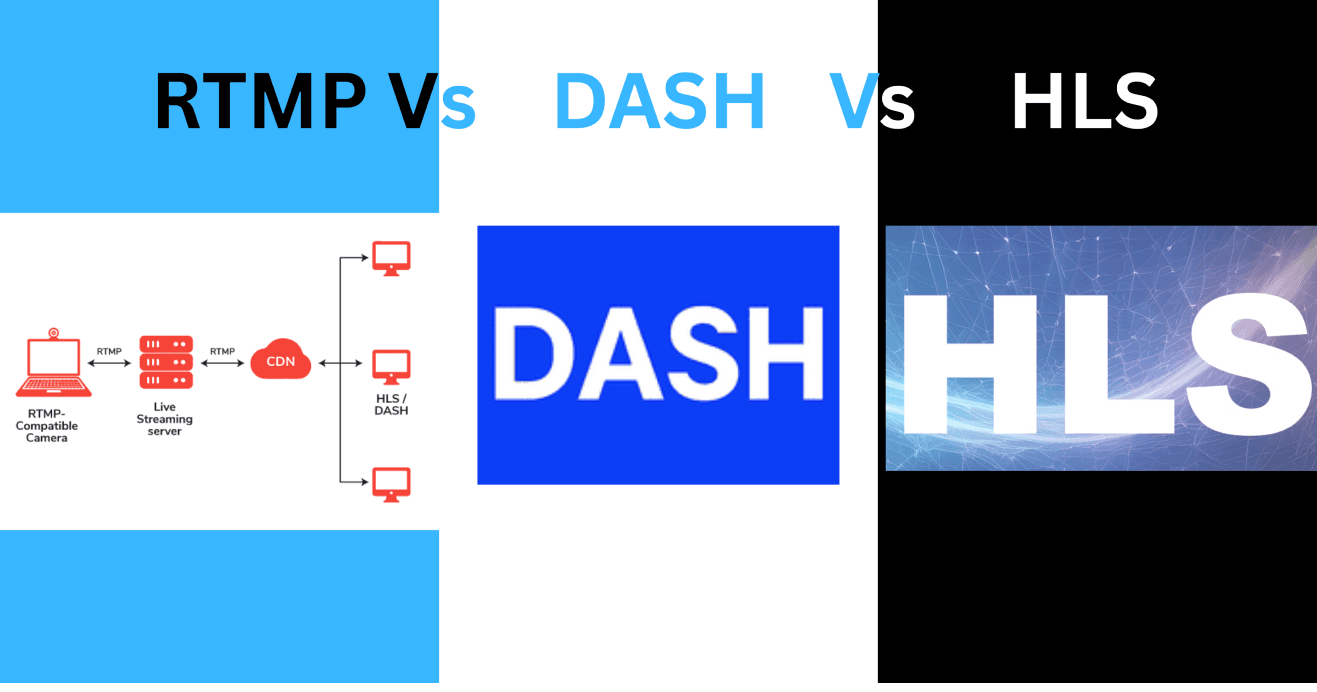
RTMP, DASH, and HLS are the three most commonly used streaming protocols, each serving a distinct role in live and on-demand video delivery. These protocols vary in latency, scalability, codec compatibility, and use case suitability. RTMP is known for its low-latency delivery, making it ideal for real-time streaming, while HLS and DASH offer adaptive bitrate streaming, making them more suitable for high-quality video distribution.
Each protocol has its own strengths and limitations depending on the specific needs of the application, such as device compatibility, scalability, and support for encryption or DRM.
Protocol Architecture
RTMP
RTMP uses a persistent TCP connection to transmit video, audio, and data between the server and client in real-time. It divides the stream into small chunks and sends them over multiple virtual channels within a single connection. While RTMP is widely used for live streaming, it is limited in modern applications due to its reliance on Flash Player for playback, which is no longer supported by most browsers.
ffmpeg -re -i input.mp4 -c:v libx264 -preset veryfast -f flv rtmp://your-server/live/streamExplanation:
- -re: Read input at its native frame rate (used for live streaming).
- -i input.mp4: The input video file.
- -c:v libx264: Encode the video using the H.264 codec.
- -preset veryfast: Set encoding speed to "very fast" for minimal latency.
- -f flv: Specify the FLV container format, used by RTMP.
- rtmp://your-server/live/stream: The URL of your RTMP server.
HLS
HLS splits the video into smaller chunks, typically 2–10 seconds long, and serves these segments over HTTP. Each segment is referenced by a playlist (.m3u8) file, which is updated as new segments are created.
This makes HLS suitable for both live streaming and on-demand video. Although HLS has higher latency compared to RTMP, it is compatible with a broad range of devices and platforms and works efficiently with CDNs.
ffmpeg -i input.mp4 -c:v libx264 -g 48 -hls_time 4 -hls_list_size 0 -f hls output.m3u8Explanation:
- -i input.mp4: The input video file.
- -c:v libx264: Use the H.264 video codec for compression.
- -g 48: Set the maximum GOP (Group of Pictures) size to 48, ensuring a keyframe every 2 seconds for smooth segment transitions.
- -hls_time 4: Specify segment duration in seconds (4 seconds per segment).
- -hls_list_size 0: Include all segments in the playlist for VOD (Video on Demand).
- -f hls: Specify the HLS format for output.
- output.m3u8: The generated playlist file.
DASH
DASH is similar to HLS in that it delivers video in segments. However, DASH is codec-agnostic, meaning it supports a wide variety of codecs, including H.264, HEVC, VP9, and AV1. DASH also uses HTTP for media delivery, making it CDN-friendly and scalable. It is used widely in adaptive bitrate streaming, especially when aiming for cross-browser compatibility.
ffmpeg -i input.mp4 -c:v libx265 -preset medium -g 60 -f dash output.mpdExplanation:
- -i input.mp4: The input video file.
- -c:v libx265: Use the HEVC codec (H.265) for video compression.
- -preset medium: Choose a medium encoding preset for a balance between speed and compression efficiency.
- -g 60: Set the GOP size to 60 frames (approximately 2 seconds for 30fps video).
- -f dash: Output the video in DASH format.
- output.mpd: The manifest file (.mpd) that references the video segments.
Latency
RTMP
RTMP provides low-latency streaming, typically in the range of 2–5 seconds, making it suitable for live broadcasts, gaming, and interactive applications. The protocol works by using a persistent TCP connection that sends video and audio data in small chunks, enabling real-time delivery.
However, RTMP is no longer supported natively in most modern browsers, as Flash has been deprecated. Despite this, RTMP is still commonly used for ingesting streams into CDNs and servers.
Command Example for RTMP:
ffmpeg -re -i input.mp4 -c:v libx264 -preset veryfast -f flv rtmp://your-server/live/streamExplanation:
- -re: Reads the input video at its native frame rate, which is ideal for live streaming and ensures real-time transmission.
- -i input.mp4: Specifies the input video file to be streamed.
- -c:v libx264: Uses the H.264 video codec for encoding.
- -preset veryfast: Sets the encoding speed to "very fast" to minimize latency.
- -f flv: Specifies the FLV container format, which is required for RTMP streaming.
- rtmp://your-server/live/stream: Specifies the RTMP URL for the server where the stream will be pushed.
This command enables real-time streaming with minimal delay, using the RTMP protocol for low-latency delivery.
HLS
Standard HLS has higher latency, typically between 15 and 30 seconds, due to the time required to buffer and segment the video. You can reduce latency by configuring smaller segment durations (1–2 seconds) and using HLS flags to control buffering.
Example for Reducing Latency:
ffmpeg -i input.mp4 -hls_time 2 -hls_flags delete_segments+program_date_time -f hls output.m3u8Explanation:
- -hls_time 2: Set the segment duration to 2 seconds to minimize latency.
- -hls_flags delete_segments+program_date_time: Enable flags to delete old segments and adjust timestamping for smoother playback.
DASH
DASH's latency is highly configurable and can range from 10 to 30 seconds, depending on segment size and buffer settings. For real-time or low-latency applications, reducing segment duration to 2–4 seconds and using chunked transfer encoding can help achieve lower latency.
Command Example for Reducing Latency in DASH:
ffmpeg -i input.mp4 -c:v libx264 -preset fast -g 30 -f dash -window_size 5 -extra_window_size 5 -seg_duration 2 output.mpdExplanation:
- -seg_duration 2: Sets segment duration to 2 seconds for lower latency.
- -window_size 5: Sets a smaller window size (5 seconds) for quicker stream updates.
- -extra_window_size 5: Adds a buffer window of 5 seconds to improve playback stability.
Codec and Container Support
RTMP
RTMP supports H.264 for video and AAC or MP3 for audio, encapsulated in the FLV container. The use of FLV restricts RTMP from supporting more modern video codecs like VP9 and AV1.
Command Example for RTMP:
ffmpeg -i input.mp4 -c:v libx264 -c:a aac -f flv rtmp://your-server/live/streamExplanation:
- -i input.mp4: Specifies the input video file.
- -c:v libx264: Use H.264 video codec.
- -c:a aac: Use AAC audio codec.
- -f flv: Specify FLV container format for RTMP.
- rtmp://your-server/live/stream: The RTMP server UR
HLS
HLS supports H.264 and HEVC codecs, with MPEG-TS or fMP4 containers. Apple mandates the use of fMP4 for low-latency streaming and seamless bitrate switching in modern HLS deployments.
Command Example for HLS with fMP4:
ffmpeg -i input.mp4 -c:v libx264 -c:a aac -f hls -hls_time 4 -hls_segment_type fmp4 -hls_list_size 0 -hls_segment_filename "segment_%03d.mp4" output.m3u8Explanation:
- -c:v libx264: Use H.264 video encoding.
- -c:a aac: Use AAC for audio encoding.
- -f hls: Output in HLS format.
- -hls_segment_type fmp4: Set segment type to fMP4 for modern HLS streaming.
- -hls_segment_filename "segment_%03d.mp4": Naming pattern for segments.
DASH
DASH supports a wide range of codecs, including H.264, HEVC, VP9, and AV1, with fragmented MP4 (fMP4) containers providing better support for adaptive bitrate switching and efficient playback.
Command Example for DASH:
ffmpeg -i input.mp4 -c:v libx265 -preset medium -f dash -dash_segment_filename "segment_%03d.m4s" -master_pl_name "master.mpd" output.mpdExplanation:
- -c:v libx265: Use HEVC for video encoding.
- -preset medium: Set encoding speed to "medium" for balanced quality and performance.
- -f dash: Specify the DASH output format.
- -dash_segment_filename "segment_%03d.m4s": Define segment file naming pattern for DASH.
- -master_pl_name "master.mpd": The master playlist file containing references to all media segments.
Network and Bandwidth Efficiency
RTMP
RTMP, due to its persistent connection and continuous data flow, requires a stable and consistent network connection. It is ideal for low-latency, real-time interactions but can struggle in environments with fluctuating network conditions. RTMP's lack of adaptive bitrate capabilities makes it less efficient for variable network conditions compared to HLS or DASH.
Command Example (Network Optimization for RTMP):
ffmpeg -i input.mp4 -c:v libx264 -preset veryfast -f flv -max_delay 0 rtmp://your-server/live/streamExplanation:
- -max_delay 0: Minimizes the maximum buffering delay, ensuring faster transmission and lower latency.
HLS
HLS uses HTTP and delivers segmented video files over a network, which is highly compatible with existing web infrastructure. However, this also means that HLS may not be as efficient in terms of network usage, as it requires multiple HTTP requests for each segment. HLS handles network congestion better by allowing clients to switch between bitrate streams based on available bandwidth.
Command Example for Optimizing HLS Network Usage:
ffmpeg -i input.mp4 -c:v libx264 -c:a aac -f hls -hls_time 4 -hls_segment_type fmp4 -hls_flags delete_segments+program_date_time output.m3u8Explanation:
- -hls_flags delete_segments+program_date_time: Deletes old segments and adjusts timestamps to manage bandwidth effectively.
- -hls_segment_type fmp4: Uses fMP4 for better handling of bandwidth by reducing segment size and stream switching efficiency.
DASH
DASH offers adaptive bitrate streaming, ensuring better bandwidth utilization than both RTMP and HLS. By dynamically adjusting the stream quality based on the user's available bandwidth, DASH can provide a better user experience in variable network conditions. The protocol supports efficient use of resources, making it ideal for large-scale deployments.
Command Example for DASH with Adaptive Bitrate:
ffmpeg -i input.mp4 -c:v libx264 -preset medium -g 60 -f dash -dash_segment_filename "segment_%03d.m4s" -master_pl_name "master.mpd" output.mpdExplanation:
- -f dash: Specifies the DASH output format.
- -dash_segment_filename "segment_%03d.m4s": Defines the naming pattern for DASH segments.
- -master_pl_name "master.mpd": Generates the master playlist file for adaptive bitrate switching.
Encryption and DRM
RTMP
RTMP can be tunneled over TLS (RTMPS), but it doesn’t support modern DRM systems. Content protection is limited and insecure for premium video.
HLS
HLS supports AES-128 encryption and integrates with Apple's FairPlay DRM. Basic encryption is easy to implement using FFmpeg.
openssl rand 16 > enc.key ffmpeg -i input.mp4 -hls_time 4 -hls_key_info_file enc.keyinfo -f hls output_encrypted.m3u8DASH
DASH supports Common Encryption (CENC), enabling compatibility with Widevine, PlayReady, and FairPlay. It is the best choice for DRM across Android, iOS, and web.
Comparison Table
| Feature | RTMP | HLS | DASH |
| Latency | Low (2-5 seconds) | High (10-30 seconds) | High (10-30 seconds) |
| Protocol | TCP (RTMP over TCP) | HTTP (HLS over HTTP) | HTTP (DASH over HTTP) |
| Support for Adaptive Bitrate | No | Yes | Yes |
| Device Compatibility | Limited (requires Flash or RTMP support) | Broad (supported by all modern browsers) | Broad (supported by most modern browsers) |
| Scalability | Moderate (relies on Flash) | High (works well with CDNs) | High (works well with CDNs) |
| Use Case | Real-time streaming, low-latency video | Live streaming, VOD, and adaptive bitrate | Live streaming, VOD, adaptive bitrate |