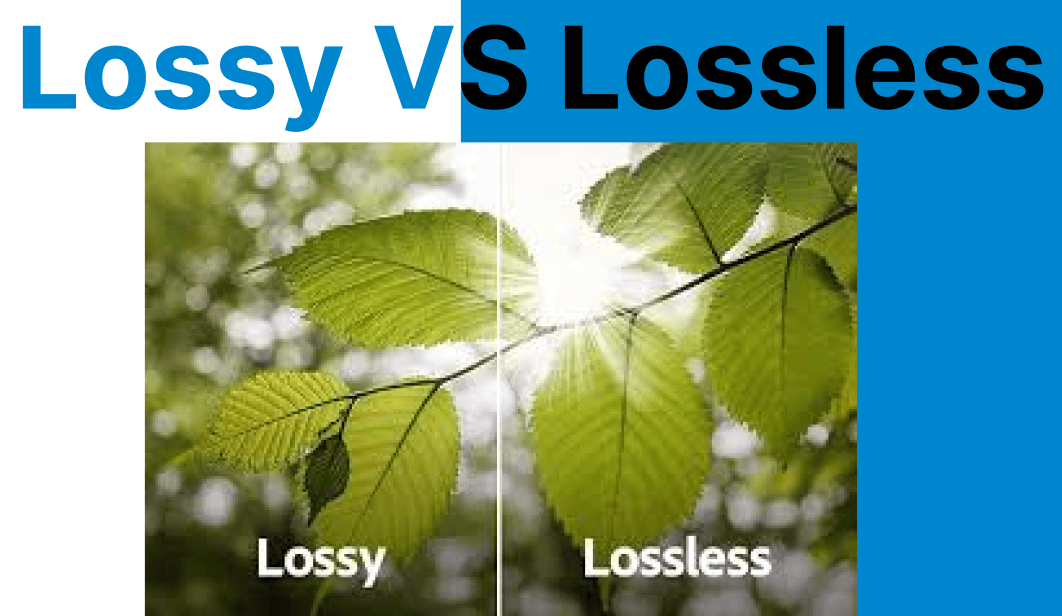
Compression is a key aspect of reducing video file sizes while maintaining acceptable visual quality. Lossy and lossless compression techniques handle data differently to strike a balance between storage efficiency, bandwidth, and visual fidelity.
Compression Behavior: Data Retention and Elimination
Compression behavior determines whether visual data is permanently discarded or fully preserved. Here are the key mechanisms behind lossy and lossless approaches, broken down step by step.
Lossy Compression (Data Discarding Compression)
Lossy compression starts by scanning each video frame for perceptually insignificant visual data, such as minor luminance or chroma variations. It reduces the precision of this data to save space.
How It Works
Step 1: The encoder analyzes the image for visually redundant data, particularly slight color variations that are imperceptible to the human eye. It then applies quantization to group similar pixel values, reducing precision where it has minimal visual impact.
Step 2: The quantized data is transformed using algorithms like the Discrete Cosine Transform (DCT), which converts spatial pixel values into frequency components. High-frequency components that contribute less to visual perception are discarded. Color data is also reduced using YCbCr color space transformation and chroma subsampling.
Step 3: The remaining data is entropy-encoded into a compressed bitstream. The final output has a significantly reduced size while maintaining acceptable visual quality for most digital and web-based applications.

Lossless Compression (Data-Preserving Compression)
Lossless compression retains every bit of original data, making it suitable for editing, archiving, and any workflow where perfect fidelity is required.
How It Works
Step 1: The encoder scans the input data to detect patterns, repeated sequences, or redundant values. These repetitions form the basis for reducing file size without removing actual content.
Step 2: Detected patterns are encoded using algorithms like Huffman coding or Lempel-Ziv-Welch (LZW). Frequently occurring sequences are assigned shorter binary codes, while less common ones are given longer codes, resulting in a compact representation.
Step 3: The compressed output retains all necessary information to reconstruct the original file. During decompression, the encoding is reversed exactly, restoring the original data with no loss in quality or content.
Lossy and Lossless Algorithms
Compression is implemented using specific encoding techniques and container formats. Here are the most common algorithms used for lossy and lossless video compression and how they impact compatibility and output.
Lossy Compression Algorithms
I. Discrete Cosine Transform (DCT)
The Discrete Cosine Transform (DCT) is one of the most widely used algorithms, found in codecs like JPEG and H.264. It breaks the image into blocks and converts pixel values into frequency space, allowing high-frequency (less noticeable) data to be removed.
II. Transform coding
Transform coding works similarly by converting pixel data into a different domain to enable more efficient storage. It operates on blocks of pixels and is foundational to most modern video codecs.
III. Chroma subsampling
Chroma subsampling reduces the resolution of color information, exploiting the human eye’s higher sensitivity to brightness than color. It is commonly applied in video formats like 4:2:0.
IV. Fractal compression
Fractal compression finds repeating patterns in the image and encodes those mathematically. While highly effective in theory, it is rarely used in practical video compression due to its processing complexity.
Lossless Compression Algorithms
I. Huffman coding
Huffman coding uses variable-length codes to efficiently represent repeating symbols, reducing the overall size of the video data without losing information.
II. Lempel-Ziv-Welch (LZW)
Lempel-Ziv-Welch (LZW) is used in formats like GIF and TIFF. It replaces frequently occurring patterns with shorter representations via a dictionary-based approach.
III. Run-Length Encoding (RLE)
Run-Length Encoding (RLE) compresses long sequences of identical values by storing the value and its count. It is useful in images with large areas of uniform color.
IV. Deflate
Deflate combines LZ77 and Huffman coding and is widely used in ZIP and PNG formats. It offers fast compression with good performance in lossless workflows.
Workflow Considerations
Choosing between lossy and lossless affects storage, processing, and delivery at every stage of a video pipeline. Here’s where each method fits in a typical production workflow.
Lossy Compression
I. Performance Cost
File sizes are smaller, leading to faster transfers and reduced storage. Encoding is computationally demanding but often hardware-accelerated.
II. Pipeline Role
Used at the delivery stage, where bandwidth efficiency and compatibility are more important than perfect quality.
Lossless Compression
I. Storage Overhead
Files remain large because all data is preserved. This requires more disk space and bandwidth, making it less suitable for streaming or delivery over constrained networks.
II. Performance Impact
Lossless compression can impact memory and I/O during editing or playback due to the larger file sizes.
III. Pipeline Role
Ideal during acquisition, editing, or archival stages, where maintaining the original quality is paramount. Common in professional video editing and media archiving.
Lossy & Lossless Compression File Types
Lossy Formats
✅ JPEG is ideal for still images with rich color detail. It uses adjustable compression to strike a balance between quality and file size, making it suitable for web content and social media.
✅ WebP, developed by Google, provides superior compression over PNG and JPEG while supporting transparency and animation. It’s highly optimized for web delivery.
✅ MP3 compresses audio by removing frequencies that are less perceptible to human ears. It supports variable bitrates and is widely used in streaming and portable audio.
✅ MP4 is a flexible multimedia format that holds video, audio, and metadata. It is the dominant format for online streaming and playback across devices.
✅ HEIC is a modern image format used in iOS devices. It offers high compression efficiency and supports advanced imaging features such as live photos and depth maps.
Lossless Formats
✅ PNG is commonly used in digital graphics, particularly where transparency or sharp detail is required. It uses lossless compression for high-quality image preservation.
✅ RAW captures all sensor data from a camera without any processing. It is widely used in photography and cinematography for editing and color correction.
✅ GIF supports simple animations using lossless compression. It is best suited for UI elements, short loops, or web banners with limited color palettes.
✅ TIFF can use both lossy and lossless compression and is often employed in publishing, scanning, and digital archiving due to its support for multi-page and high-resolution content.
Comparison of Lossy vs Lossless Compression
| Feature | Lossy Compression | Lossless Compression |
| Data Retention | Irreversible loss | Fully preserved |
| Compression Ratio | High | Moderate |
| Visual Quality | Degraded at low bitrates | Original quality retained |
| File Size | Smaller | Larger |
| Processing Speed | Faster (accelerated) | Slow (due to I/O load) |
What’s Next?
Working with both lossy and lossless formats in your project? Use Cincopa’s API to manage encoding workflows that balance compression efficiency and visual fidelity. Whether you're preparing media for editing, review, or distribution, a smart compression strategy can improve performance without sacrificing quality where it matters.