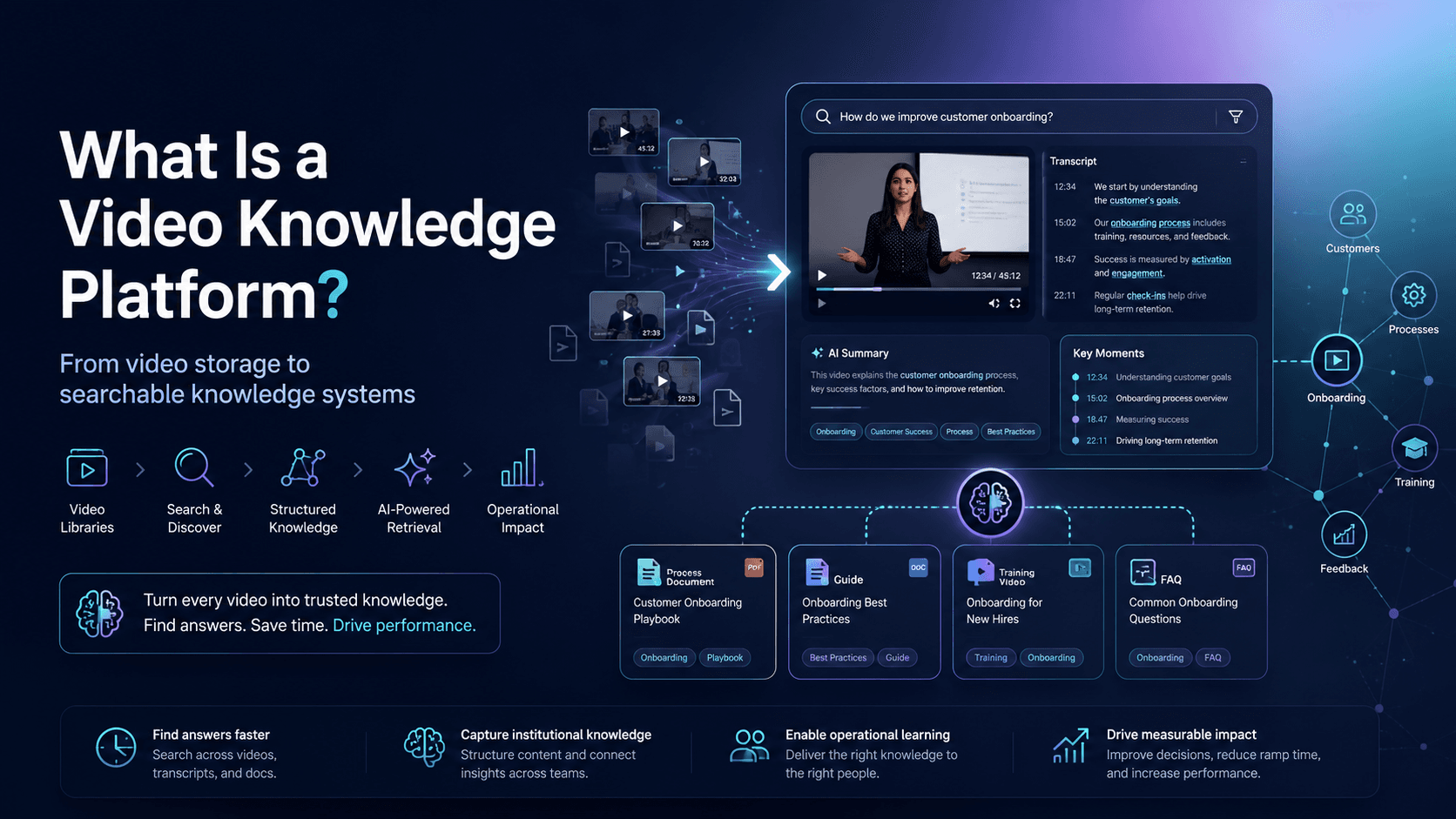
Organizations create more video knowledge than ever before.
Training sessions, onboarding walkthroughs, support recordings, webinars, product demos, internal meetings, SOP explainers, and technical tutorials are constantly being produced across teams.
But as these libraries grow, something predictable happens:
The content becomes difficult to navigate, difficult to reuse, and difficult to trust as a real source of operational knowledge.
Videos get buried in folders. PDFs live somewhere else. Search becomes unreliable. Support teams answer the same questions repeatedly. Training content becomes fragmented across LMS platforms, shared drives, help centers, and disconnected video tools.
The issue is usually not a lack of content.
The issue is that most organizations do not have a usable knowledge system for video.
That is where the idea of a Video Knowledge Platform starts to emerge.
A Video Knowledge Platform Explained
A Video Knowledge Platform is a system designed to organize, structure, distribute, search, and retrieve knowledge stored inside videos and related documents.
Instead of treating video as passive media content, it treats video as operational knowledge infrastructure.
The goal is not simply to host videos.
The goal is to make video libraries usable at scale.
A modern Video Knowledge Platform typically combines:
- Video hosting and delivery
- Structured libraries and knowledge organization
- Search across transcripts and metadata
- AI-assisted retrieval
- Document pairing and attachments
- Permissions and access control
- Analytics and viewer insights
- Embedded workflows
- Training and support delivery surfaces
In practice, this means users can:
- Ask questions across a video library
- Search for specific workflows or issues
- Jump directly to exact moments inside videos
- Access related documents and SOPs
- Reuse training content across multiple environments
- Learn from repeated knowledge gaps
The platform becomes less like a media repository and more like a searchable operational knowledge layer.
Why Traditional Video Libraries Break Down
Most organizations already have valuable knowledge trapped inside recordings.
Examples include:
- Customer onboarding videos
- Product walkthroughs
- Internal workshops
- Troubleshooting sessions
- Webinar archives
- Technical training
- Partner enablement sessions
- Executive updates
- Compliance training
- Support demonstrations
But traditional video systems were not designed for retrieval-heavy workflows.
As libraries grow:
- Playlists become overcrowded
- Search quality declines
- Videos lose context
- Teams stop reusing older content
- Knowledge becomes fragmented
- People rely on Slack messages or support tickets instead
Eventually, organizations create duplicate content simply because existing knowledge becomes too hard to find.
This is one reason many teams are shifting from “video hosting” toward “video knowledge systems.”
The Shift From Watching to Retrieving
Historically, enterprise video systems focused on publishing and playback.
Modern workflows increasingly focus on retrieval.
Users no longer want to manually scan 45-minute recordings to find one workflow step.
They expect:
- direct answers
- timestamped retrieval
- searchable conversations
- contextual recommendations
- AI-assisted navigation
This shift is especially visible in:
- product education
- customer support
- onboarding
- technical operations
- internal enablement
- field service environments
The expectation is changing from:
“Watch this training.”
to:
“Ask the system and jump to the exact answer.”
That changes how organizations think about video infrastructure entirely.
Common Use Cases
Product Education
Software and SaaS companies increasingly use video knowledge systems to help users learn features, workflows, and onboarding processes directly inside support centers or product environments.
Support and Troubleshooting
Support organizations use searchable video libraries to reduce repetitive tickets and improve self-service resolution.
Instead of reading long documentation, users can jump directly to the visual fix.
Internal Knowledge Hubs
Organizations use video knowledge systems to preserve workshops, internal updates, training sessions, and operational knowledge that would otherwise disappear into archives.
Partner Enablement
Manufacturers, distributors, and channel organizations use structured training systems to educate external partners at scale.
Workflow Documentation
Teams increasingly replace static SOP documents with video-first operational guidance that is easier to follow and update.
The Category Is Still Evolving
The idea of a “Video Knowledge Platform” is still evolving across the industry.
Different vendors approach the problem from different angles.
Some platforms focus heavily on lecture capture and institutional learning. Others focus on enterprise video management, AI retrieval, embedded support workflows, or operational knowledge systems.
For example, Panopto positions its platform around searchable institutional video libraries, lecture capture, accessibility, and enterprise learning infrastructure.
Platforms like Cincopa increasingly focus on structured video knowledge environments that combine embedded galleries, documents, AI-assisted retrieval, training portals, support workflows, and operational knowledge distribution.
Other tools approach parts of the problem through:
- LMS systems
- enterprise search
- internal documentation
- meeting intelligence
- workflow automation
- AI copilots
The broader trend is consistent:
Organizations are moving from isolated video storage toward searchable and operational knowledge systems.